Cumulus Linux network simulation using Vagrant

I was using GNS3 for quite some time but it was not very flexible if you quickly wanted to test something and even more complicated if you used a different computer or shared your projects.

I spend some time with Vagrant to build a virtual Cumulus Linux lab environment which can run basically on every computer. Simulating network environments is the future when you want to test and validate your automation scripts.

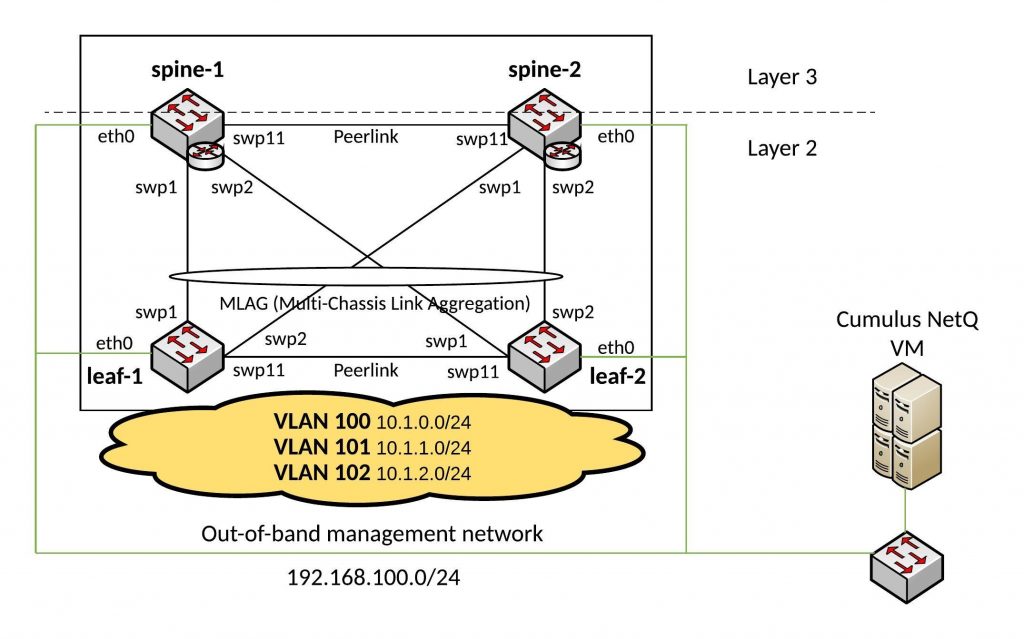
My lab diagram:
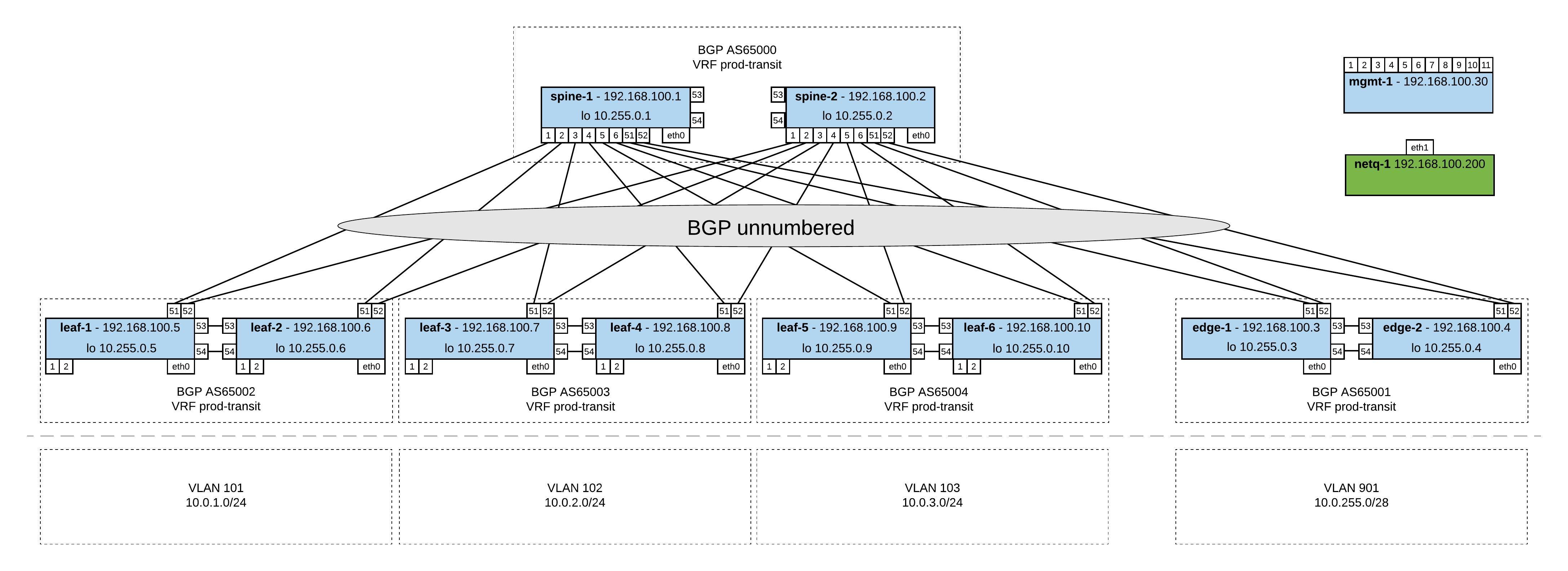
I created different topology.dot files and used the Cumulus topology converter on Github to create my lab with Virtualbox or Libvirt (KVM). I did some modification to the initialise scripts for the switches and the management server. Everything you find in my Github repo https://github.com/berndonline/cumulus-lab-vagrant.

The topology file basically defines your network and the converter creates the Vagrantfile.

In the management topology file you have all servers (incl. management) like in the network diagram above. The Cumulus switches you can only access via the management server.

Very similar to the topology-mgmt.dot but in this one the management server is running Cumulus NetQ which you need to first import into your Vagrant. Here the link to the Cumulus NetQ demo on Github.

In this topology file you find a basic staging lab without servers where you can access the Cumulus switches directly via their Vagrant IP. I mainly use this to quickly test something like updating Cumulus switches or validating Ansible playbooks.

In this topology file you find a basic production lab where you can access the Cumulus switches directly via their Vagrant IP and have Cumulus NetQ as management server.

Basically to convert a topology into a Vagrantfile you just need to run the following command:

python topology_converter.py topology-staging.dot -p libvirt --ansible-hostfile

I use KVM in my example and want that Vagrant creates an Ansible inventory file and run playbooks directly agains the switches.

Check the status of the vagrant environment:

berndonline@lab:~/cumulus-lab-vagrant$ vagrant status
Current machine states:

spine-1                   not created (libvirt)
spine-2                   not created (libvirt)
leaf-1                    not created (libvirt)
leaf-3                    not created (libvirt)
leaf-2                    not created (libvirt)
leaf-4                    not created (libvirt)
mgmt-1                    not created (libvirt)
edge-2                    not created (libvirt)
edge-1                    not created (libvirt)

This environment represents multiple VMs. The VMs are all listed
above with their current state. For more information about a specific
VM, run `vagrant status NAME`.
berndonline@lab:~/cumulus-lab-vagrant$

To start the devices run:

vagrant up

If you use the topology files with management server you need to start first the management server and then the management switch before you boot the rest of the switches:

vagrant up mgmt-server
vagrant up mgmt-1
vagrant up

The switches will pull some part of their configuration from the management server.

Output if you start the environment:

berndonline@lab:~/cumulus-lab-vagrant$ vagrant up spine-1
Bringing machine 'spine-1' up with 'libvirt' provider...
==> spine-1: Creating image (snapshot of base box volume).
==> spine-1: Creating domain with the following settings...
==> spine-1:  -- Name:              cumulus-lab-vagrant_spine-1
==> spine-1:  -- Domain type:       kvm
==> spine-1:  -- Cpus:              1
==> spine-1:  -- Feature:           acpi
==> spine-1:  -- Feature:           apic
==> spine-1:  -- Feature:           pae
==> spine-1:  -- Memory:            512M
==> spine-1:  -- Management MAC:
==> spine-1:  -- Loader:
==> spine-1:  -- Base box:          CumulusCommunity/cumulus-vx
==> spine-1:  -- Storage pool:      default
==> spine-1:  -- Image:             /var/lib/libvirt/images/cumulus-lab-vagrant_spine-1.img (4G)
==> spine-1:  -- Volume Cache:      default
==> spine-1:  -- Kernel:
==> spine-1:  -- Initrd:
==> spine-1:  -- Graphics Type:     vnc
==> spine-1:  -- Graphics Port:     5900
==> spine-1:  -- Graphics IP:       127.0.0.1
==> spine-1:  -- Graphics Password: Not defined
==> spine-1:  -- Video Type:        cirrus
==> spine-1:  -- Video VRAM:        9216
==> spine-1:  -- Sound Type:
==> spine-1:  -- Keymap:            en-us
==> spine-1:  -- TPM Path:
==> spine-1:  -- INPUT:             type=mouse, bus=ps2
==> spine-1: Creating shared folders metadata...
==> spine-1: Starting domain.
==> spine-1: Waiting for domain to get an IP address...
==> spine-1: Waiting for SSH to become available...
    spine-1:
    spine-1: Vagrant insecure key detected. Vagrant will automatically replace
    spine-1: this with a newly generated keypair for better security.
    spine-1:
    spine-1: Inserting generated public key within guest...
    spine-1: Removing insecure key from the guest if it's present...
    spine-1: Key inserted! Disconnecting and reconnecting using new SSH key...
==> spine-1: Setting hostname...
==> spine-1: Configuring and enabling network interfaces...
....
==> spine-1: #################################
==> spine-1:   Running Switch Post Config (config_vagrant_switch.sh)
==> spine-1: #################################
==> spine-1:  ###Creating SSH keys for cumulus user ###
==> spine-1: #################################
==> spine-1:    Finished
==> spine-1: #################################
==> spine-1: Running provisioner: shell...
    spine-1: Running: inline script
==> spine-1: Running provisioner: shell...
    spine-1: Running: inline script
==> spine-1:   INFO: Adding UDEV Rule: a0:00:00:00:00:21 --> eth0
==> spine-1: Running provisioner: shell...
    spine-1: Running: inline script
==> spine-1:   INFO: Adding UDEV Rule: 44:38:39:00:00:30 --> swp1
==> spine-1: Running provisioner: shell...
    spine-1: Running: inline script
==> spine-1:   INFO: Adding UDEV Rule: 44:38:39:00:00:04 --> swp2
==> spine-1: Running provisioner: shell...
    spine-1: Running: inline script
==> spine-1:   INFO: Adding UDEV Rule: 44:38:39:00:00:26 --> swp3
==> spine-1: Running provisioner: shell...
    spine-1: Running: inline script
==> spine-1:   INFO: Adding UDEV Rule: 44:38:39:00:00:0a --> swp4
==> spine-1: Running provisioner: shell...
    spine-1: Running: inline script
==> spine-1:   INFO: Adding UDEV Rule: 44:38:39:00:00:22 --> swp51
==> spine-1: Running provisioner: shell...
    spine-1: Running: inline script
==> spine-1:   INFO: Adding UDEV Rule: 44:38:39:00:00:0d --> swp52
==> spine-1: Running provisioner: shell...
    spine-1: Running: inline script
==> spine-1:   INFO: Adding UDEV Rule: 44:38:39:00:00:10 --> swp53
==> spine-1: Running provisioner: shell...
    spine-1: Running: inline script
==> spine-1:   INFO: Adding UDEV Rule: 44:38:39:00:00:23 --> swp54
==> spine-1: Running provisioner: shell...
    spine-1: Running: inline script
==> spine-1:   INFO: Adding UDEV Rule: Vagrant interface = eth1
==> spine-1: #### UDEV Rules (/etc/udev/rules.d/70-persistent-net.rules) ####
==> spine-1: ACTION=="add", SUBSYSTEM=="net", ATTR{address}=="a0:00:00:00:00:21", NAME="eth0", SUBSYSTEMS=="pci"
==> spine-1: ACTION=="add", SUBSYSTEM=="net", ATTR{address}=="44:38:39:00:00:30", NAME="swp1", SUBSYSTEMS=="pci"
==> spine-1: ACTION=="add", SUBSYSTEM=="net", ATTR{address}=="44:38:39:00:00:04", NAME="swp2", SUBSYSTEMS=="pci"
==> spine-1: ACTION=="add", SUBSYSTEM=="net", ATTR{address}=="44:38:39:00:00:26", NAME="swp3", SUBSYSTEMS=="pci"
==> spine-1: ACTION=="add", SUBSYSTEM=="net", ATTR{address}=="44:38:39:00:00:0a", NAME="swp4", SUBSYSTEMS=="pci"
==> spine-1: ACTION=="add", SUBSYSTEM=="net", ATTR{address}=="44:38:39:00:00:22", NAME="swp51", SUBSYSTEMS=="pci"
==> spine-1: ACTION=="add", SUBSYSTEM=="net", ATTR{address}=="44:38:39:00:00:0d", NAME="swp52", SUBSYSTEMS=="pci"
==> spine-1: ACTION=="add", SUBSYSTEM=="net", ATTR{address}=="44:38:39:00:00:10", NAME="swp53", SUBSYSTEMS=="pci"
==> spine-1: ACTION=="add", SUBSYSTEM=="net", ATTR{address}=="44:38:39:00:00:23", NAME="swp54", SUBSYSTEMS=="pci"
==> spine-1: ACTION=="add", SUBSYSTEM=="net", ATTR{ifindex}=="2", NAME="eth1", SUBSYSTEMS=="pci"
==> spine-1: Running provisioner: shell...
    spine-1: Running: inline script
==> spine-1: ### RUNNING CUMULUS EXTRA CONFIG ###
==> spine-1:   INFO: Detected a 3.x Based Release
==> spine-1: ### Disabling default remap on Cumulus VX...
==> spine-1: ### Disabling ZTP service...
==> spine-1: Removed symlink /etc/systemd/system/multi-user.target.wants/ztp.service.
==> spine-1: ### Resetting ZTP to work next boot...
==> spine-1: Created symlink from /etc/systemd/system/multi-user.target.wants/ztp.service to /lib/systemd/system/ztp.service.
==> spine-1:   INFO: Detected Cumulus Linux v3.3.2 Release
==> spine-1: ### Fixing ONIE DHCP to avoid Vagrant Interface ###
==> spine-1:      Note: Installing from ONIE will undo these changes.
==> spine-1: ### Giving Vagrant User Ability to Run NCLU Commands ###
==> spine-1: ### DONE ###
==> spine-1: ### Rebooting Device to Apply Remap...

At the end you are able to connect to the Cumulus switch:

berndonline@lab:~/cumulus-lab-vagrant$ vagrant ssh spine-1

Welcome to Cumulus VX (TM)

Cumulus VX (TM) is a community supported virtual appliance designed for
experiencing, testing and prototyping Cumulus Networks' latest technology.
For any questions or technical support, visit our community site at:
http://community.cumulusnetworks.com

The registered trademark Linux (R) is used pursuant to a sublicense from LMI,
the exclusive licensee of Linus Torvalds, owner of the mark on a world-wide
basis.
vagrant@cumulus:~$

To destroy the Vagrant environment:

berndonline@lab:~/cumulus-lab-vagrant$ vagrant destroy spine-1
==> spine-2: Remove stale volume...
==> spine-2: Domain is not created. Please run `vagrant up` first.
==> spine-1: Removing domain...

My goal is to adopt some NetDevOps practice and use this in networking = NetOps, currently working on an Continuous Integration and Delivery (CI/CD) pipeline for Cumulus Linux network environments. The Vagrant lab was one of the prerequisites to simulate the changes before deploying this to production but more will follow in my next blog post.

Read my new post about an Ansible Playbook for Cumulus Linux BGP IP-Fabric and Cumulus NetQ Validation.
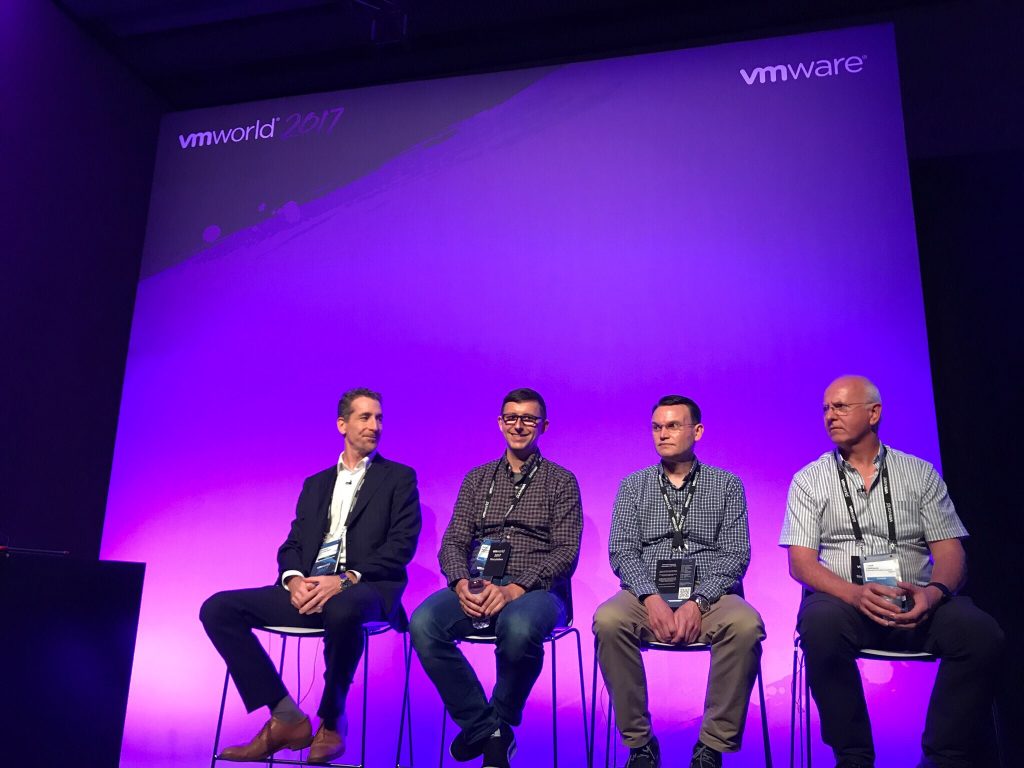
VMworld Europe 2017 – Speaking at Customer Panel on VMware NSX [NET3081PE] – Update

VMware invited me to be a speaker at a customer panel about VMware NSX at VMworld Europe 2017. I am exited to get the opportunity and share my experience together with other customers in deploying and running VMware NSX in modern datacenter environments.

Here the session information and schedule:

“In this session, a number of VMware NSX customers will discuss how NSX has been used in their environments, specifically focusing on how their organisation has benefited from security, automation, and application continuity-related projects.”

Customer Panel on VMware NSX [NET3081PE]

ScheduleTuesday, Sep 12, 2:00 p.m. – 3:00 p.m. | 41

 
Update:

Very interesting and successful panel discussion with other customers and VMworld attendees.

Here the recorded audio of the customer panel:

Ansible Playbook for Cumulus NetQ Agent Installation

Here a short Ansible script to install the Cumulus NetQ agent on Cumulus Linux switches.

---
- hosts: spine leaf
  remote_user: cumulus
  gather_facts: no
  become: yes
  vars:
    ansible_become_pass: "CumulusLinux!"
  tasks:
    - name: Install cumulus-netq
      apt: name=cumulus-netq update_cache=yes state=present
      register: result

    - name: Restart Syslog service
      service: name=rsyslog state=restarted
      when: result.stdout is defined

    - pause: seconds=5

    - name: Add netq server IP addr
      command: netq config add server 192.168.100.133
      when: result.stdout is defined

    - name: Start netq-agent
      service: name=netq-agent state=restarted
      when: result.stdout is defined

Your NetQ VM needs to be reachable from the switches otherwise the command “netq add server…” will fail.

You find more information in the official Cumulus NetQ documentation:  https://docs.cumulusnetworks.com/display/NETQ/Getting+Started+with+NetQ

Cumulus Networks NetQ telemetry-based validation system

I had some time to play around with the new NetQ tool from Cumulus which checks your Cumulus Linux switch fabric.

I did some testing with my Cumulus Layer 2 Fabric example: Ansible Playbook for Cumulus Linux (Layer 2 Fabric)

You need to download the NetQ VM from Cumulus as VMware or VirtualBox template: here

It is a great tool to centrally check your Cumulus switches and keep history about changes in your environment. NetQ can send out notification about changes in your fabric which is nice because you are always up-to-date what is going on in your network.

Installing NetQ agent on a Cumulus Linux Switch:

cumulus@spine-1:~$ sudo apt-get update
cumulus@spine-1:~$ sudo apt-get install cumulus-netq -y

Configuring the NetQ Agent on a switch:

cumulus@spine-1:~$ sudo systemctl restart rsyslog
cumulus@spine-1:~$ netq add server 192.168.100.133
cumulus@spine-1:~$ netq agent restart

I will write a small Ansible script in the next days to automate the agent installation and configuration.

Connect to Cumulus NetQ VM and check agent connectivity

admin@cumulus:~$ netq-shell

Welcome to Cumulus (R) NetQ Command Line Interface
TIP: Type `netq help` to get started.

netq@dc9163c7044e:/$ netq show agents
Node     Status    Sys Uptime    Agent Uptime
-------  --------  ------------  --------------
leaf-1   Fresh     1h ago        1h ago
leaf-2   Fresh     1h ago        1h ago
spine-1  Fresh     1h ago        1h ago
spine-2  Fresh     1h ago        1h ago
netq@dc9163c7044e:/$

Basic Show Commands:

netq@dc9163c7044e:/$ netq show clag
Matching CLAG session records are:
Node             Peer             SysMac            State Backup #Links #Dual Last Changed
---------------- ---------------- ----------------- ----- ------ ------ ----- --------------
leaf-1           leaf-2(P)        44:38:39:ff:40:93 up    up     1      1     8m ago
leaf-2(P)        leaf-1           44:38:39:ff:40:93 up    up     1      1     8m ago
spine-1(P)       spine-2          44:38:39:ff:40:94 up    up     1      1     8m ago
spine-2          spine-1(P)       44:38:39:ff:40:94 up    up     1      1     9m ago
netq@dc9163c7044e:/$
 
netq@dc9163c7044e:/$ netq show lldp
LLDP peer info for *:*
Node     Interface    LLDP Peer    Peer Int    Last Changed
-------  -----------  -----------  ----------  --------------
leaf-1   eth0         cumulus      eth0        1h ago
leaf-1   eth0         leaf-2       eth0        1h ago
leaf-1   eth0         spine-1      eth0        1h ago
leaf-1   eth0         spine-2      eth0        1h ago
leaf-1   swp1         spine-1      swp1        1h ago
leaf-1   swp11        leaf-2       swp11       9m ago
leaf-1   swp2         spine-2      swp1        1h ago
leaf-2   eth0         cumulus      eth0        1h ago
leaf-2   eth0         leaf-1       eth0        1h ago
leaf-2   eth0         spine-1      eth0        1h ago
leaf-2   eth0         spine-2      eth0        1h ago
leaf-2   swp1         spine-2      swp2        1h ago
leaf-2   swp11        leaf-1       swp11       8m ago
leaf-2   swp2         spine-1      swp2        1h ago
spine-1  eth0         cumulus      eth0        1h ago
spine-1  eth0         leaf-1       eth0        1h ago
spine-1  eth0         leaf-2       eth0        1h ago
spine-1  eth0         spine-2      eth0        1h ago
spine-1  swp1         leaf-1       swp1        1h ago
spine-1  swp11        spine-2      swp11       1h ago
spine-1  swp2         leaf-2       swp2        8m ago
spine-2  eth0         cumulus      eth0        1h ago
spine-2  eth0         leaf-1       eth0        1h ago
spine-2  eth0         leaf-2       eth0        1h ago
spine-2  eth0         spine-1      eth0        1h ago
spine-2  swp1         leaf-1       swp2        1h ago
spine-2  swp11        spine-1      swp11       1h ago
spine-2  swp2         leaf-2       swp1        8m ago
netq@dc9163c7044e:/$
 
netq@dc9163c7044e:/$ netq show interfaces type bond
Matching interface records are:
Node             Interface        Type     State Details                     Last Changed
---------------- ---------------- -------- ----- --------------------------- --------------
leaf-1           bond1            bond     up    Slave: swp1(spine-1:swp1),  10m ago
                                                 Slave: swp2(spine-2:swp1),
                                                 VLANs:  100-199, PVID: 1,
                                                 Master: bridge, MTU: 1500
leaf-1           peerlink         bond     up    Slave: swp11(leaf-2:swp11), 10m ago
                                                 VLANs: , PVID: 0,
                                                 Master: peerlink, MTU: 1500
leaf-2           bond1            bond     up    Slave: swp1(spine-2:swp2),  10m ago
                                                 Slave: swp2(spine-1:swp2),
                                                 VLANs:  100-199, PVID: 1,
                                                 Master: bridge, MTU: 1500
leaf-2           peerlink         bond     up    Slave: swp11(leaf-1:swp11), 10m ago
                                                 VLANs: , PVID: 0,
                                                 Master: peerlink, MTU: 1500
spine-1          bond1            bond     up    Slave: swp1(leaf-1:swp1),   10m ago
                                                 Slave: swp2(leaf-2:swp2),
                                                 VLANs:  100-199, PVID: 1,
                                                 Master: bridge, MTU: 1500
spine-1          peerlink         bond     up    Slave: swp11(spine-2:swp11) 1h ago
                                                 , VLANs:  100-199,
                                                 PVID: 1, Master: bridge,
                                                 MTU: 1500
spine-2          bond1            bond     up    Slave: swp1(leaf-1:swp2),   10m ago
                                                 Slave: swp2(leaf-2:swp1),
                                                 VLANs:  100-199, PVID: 1,
                                                 Master: bridge, MTU: 1500
spine-2          peerlink         bond     up    Slave: swp11(spine-1:swp11) 1h ago
                                                 , VLANs:  100-199,
                                                 PVID: 1, Master: bridge,
                                                 MTU: 1500
netq@dc9163c7044e:/$
 
netq@dc9163c7044e:/$ netq show ip routes
Matching IP route records are:
Origin Table            IP               Node             Nexthops                   Last Changed
------ ---------------- ---------------- ---------------- -------------------------- ----------------
1      default          169.254.1.0/30   leaf-1           peerlink.4093              11m ago
1      default          169.254.1.0/30   leaf-2           peerlink.4093              11m ago
1      default          169.254.1.0/30   spine-1          peerlink.4094              1h ago
1      default          169.254.1.0/30   spine-2          peerlink.4094              1h ago
1      default          169.254.1.1/32   leaf-1           peerlink.4093              11m ago
1      default          169.254.1.1/32   spine-1          peerlink.4094              1h ago
1      default          169.254.1.2/32   leaf-2           peerlink.4093              11m ago
1      default          169.254.1.2/32   spine-2          peerlink.4094              1h ago
1      default          192.168.100.0/24 leaf-1           eth0                       1h ago
1      default          192.168.100.0/24 leaf-2           eth0                       1h ago
1      default          192.168.100.0/24 spine-1          eth0                       1h ago
1      default          192.168.100.0/24 spine-2          eth0                       1h ago
1      default          192.168.100.205/ spine-1          eth0                       1h ago
                        32
1      default          192.168.100.206/ spine-2          eth0                       1h ago
                        32
1      default          192.168.100.207/ leaf-1           eth0                       1h ago
                        32
1      default          192.168.100.208/ leaf-2           eth0                       1h ago
                        32
0      vrf-prod         0.0.0.0/0        spine-1          Blackhole                  1h ago
0      vrf-prod         0.0.0.0/0        spine-2          Blackhole                  1h ago
1      vrf-prod         10.1.0.0/24      spine-1          bridge.100                 1h ago
1      vrf-prod         10.1.0.0/24      spine-2          bridge.100                 1h ago
1      vrf-prod         10.1.0.252/32    spine-1          bridge.100                 1h ago
1      vrf-prod         10.1.0.253/32    spine-2          bridge.100                 1h ago
1      vrf-prod         10.1.0.254/32    spine-1          bridge.100                 1h ago
1      vrf-prod         10.1.0.254/32    spine-2          bridge.100                 1h ago
1      vrf-prod         10.1.1.0/24      spine-1          bridge.101                 1h ago
1      vrf-prod         10.1.1.0/24      spine-2          bridge.101                 1h ago
1      vrf-prod         10.1.1.252/32    spine-1          bridge.101                 1h ago
1      vrf-prod         10.1.1.253/32    spine-2          bridge.101                 1h ago
1      vrf-prod         10.1.1.254/32    spine-1          bridge.101                 1h ago
1      vrf-prod         10.1.1.254/32    spine-2          bridge.101                 1h ago
1      vrf-prod         10.1.2.0/24      spine-1          bridge.102                 1h ago
1      vrf-prod         10.1.2.0/24      spine-2          bridge.102                 1h ago
1      vrf-prod         10.1.2.252/32    spine-1          bridge.102                 1h ago
1      vrf-prod         10.1.2.253/32    spine-2          bridge.102                 1h ago
1      vrf-prod         10.1.2.254/32    spine-1          bridge.102                 1h ago
1      vrf-prod         10.1.2.254/32    spine-2          bridge.102                 1h ago
netq@dc9163c7044e:/$

See Changes in Switch Fabric:

netq@dc9163c7044e:/$ netq leaf-1 show interfaces type bond
Matching interface records are:
Node             Interface        Type     State Details                     Last Changed
---------------- ---------------- -------- ----- --------------------------- --------------
leaf-1           bond1            bond     up    Slave: swp1(spine-1:swp1),  2s ago
                                                 Slave: swp2(spine-2:swp1),
                                                 VLANs:  100-199, PVID: 1,
                                                 Master: bridge, MTU: 1500
leaf-1           peerlink         bond     up    Slave: swp11(leaf-2:swp11), 21m ago
                                                 VLANs: , PVID: 0,
                                                 Master: peerlink, MTU: 1500
netq@dc9163c7044e:/$
 
cumulus@leaf-1:~$ sudo ifdown bond1
cumulus@leaf-1:~$
 
netq@dc9163c7044e:/$ netq leaf-1 show interfaces type bond
Matching interface records are:
Node             Interface        Type     State Details                     Last Changed
---------------- ---------------- -------- ----- --------------------------- --------------
leaf-1           peerlink         bond     up    Slave: swp11(leaf-2:swp11), 22m ago
                                                 VLANs: , PVID: 0,
                                                 Master: peerlink, MTU: 1500
netq@dc9163c7044e:/$
 
netq@dc9163c7044e:/$ netq leaf-1 show interfaces type bond changes
Matching interface records are:
Node             Interface        Type     State Details                     DbState Last Changed
---------------- ---------------- -------- ----- --------------------------- ------- --------------
leaf-1           bond1            bond     down  VLANs: , PVID: 0,           Del     21s ago
                                                 Master: bridge, MTU: 1500
leaf-1           bond1            bond     down  Slave: swp1(),              Add     21s ago
                                                 Slave: swp2(),
                                                 VLANs:  100-199, PVID: 1,
                                                 Master: bridge, MTU: 1500
leaf-1           bond1            bond     up    Slave: swp1(spine-1:swp1),  Add     1m ago
                                                 Slave: swp2(spine-2:swp1),
                                                 VLANs:  100-199, PVID: 1,
                                                 Master: bridge, MTU: 1500 

More information you can find in the Cumulus NetQ documentation: https://docs.cumulusnetworks.com/display/NETQ/NetQ

New Cumulus Linux leaf-switches

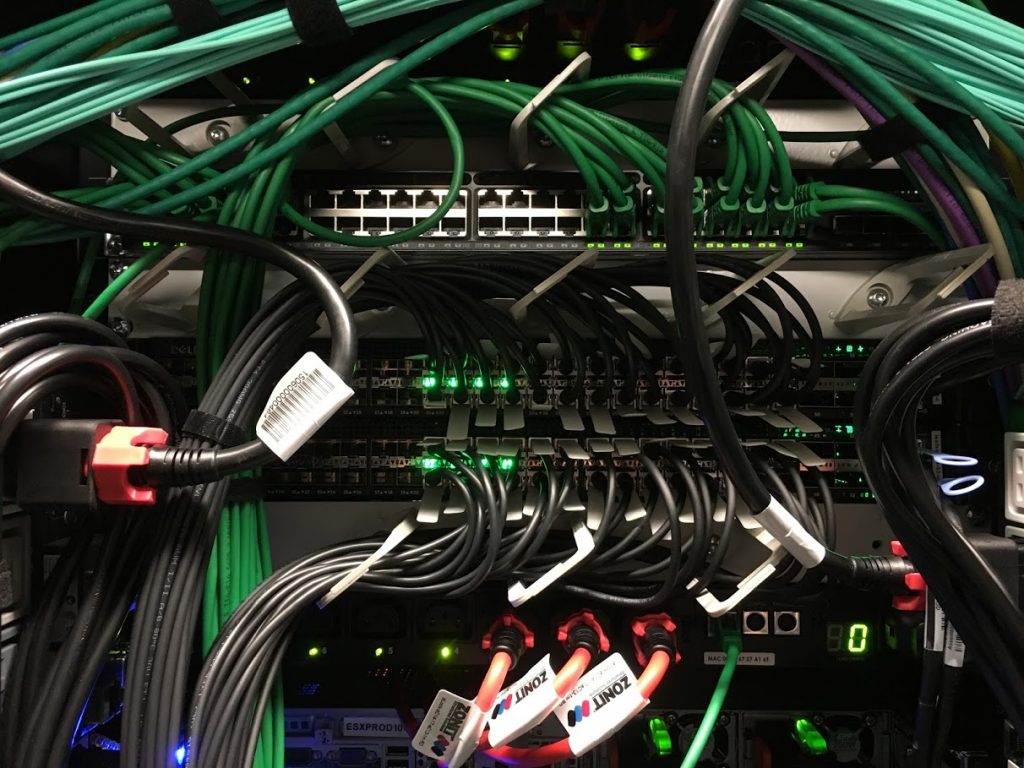
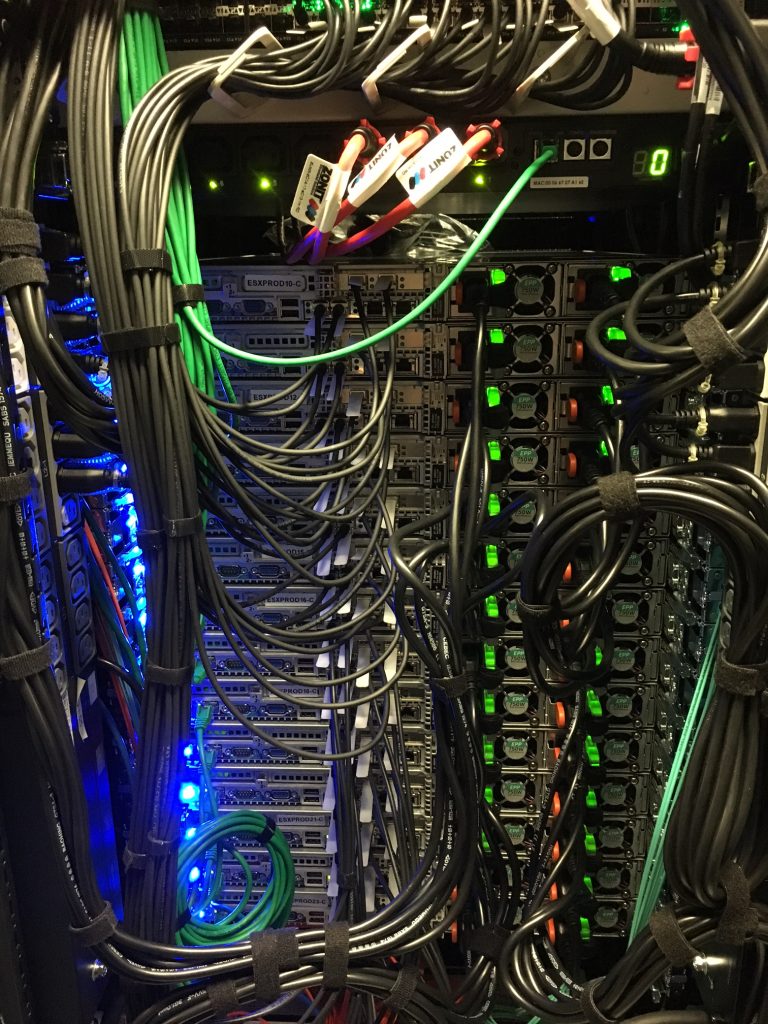
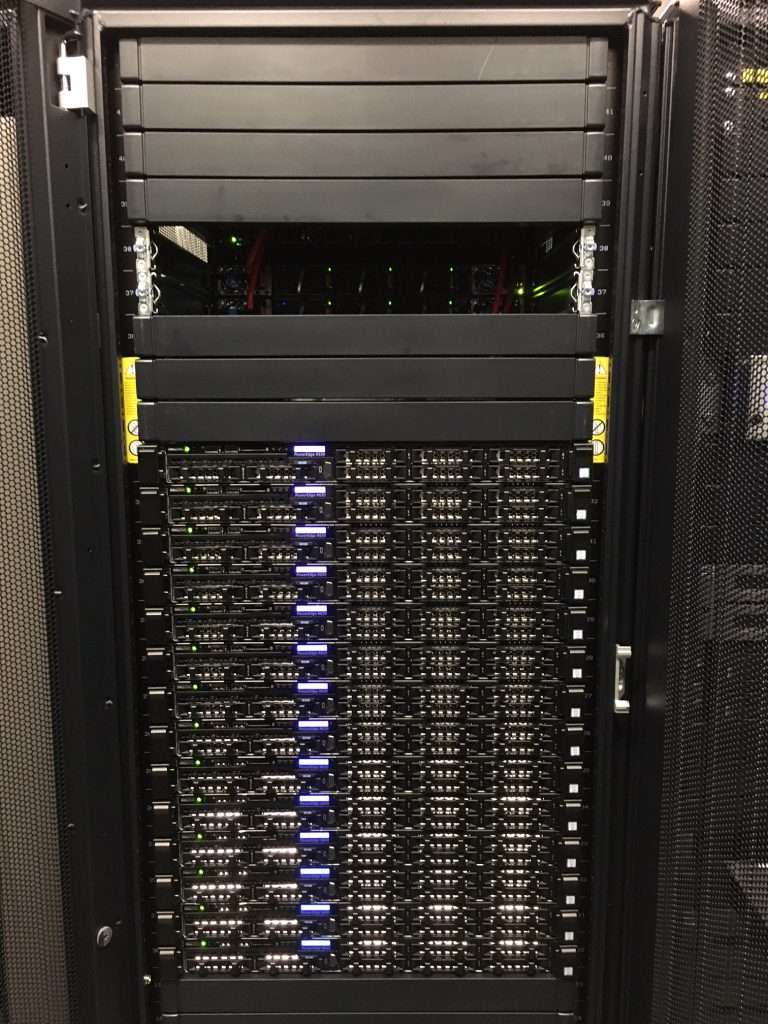
Just added another pair of Cumulus Linux leaf (top of rack) switches and more VMware compute nodes to our production system.

We use a Layer 2 network fabric, see my recent post about an example: Ansible Playbook for Cumulus Linux (Layer 2 Fabric)

Got a bit tight in the rack for the DA cables, basically each server has 2x 10Gbit/s data- and 2x 10Gbit/s storage-network connections.

Front rack view:

Another two racks will follow soon in the same configuration.