Why Productising Your Platform Is Critical for Engineering Success

It’s been a while since I’ve written anything publicly and like many in platform engineering, I’ve been head down, building, scaling and supporting. But after presenting at the OpenShift Commons Gathering alongside KubeCon 2025 in London, I felt it was time to share some of that journey and particularly the importance of product thinking in platform engineering.
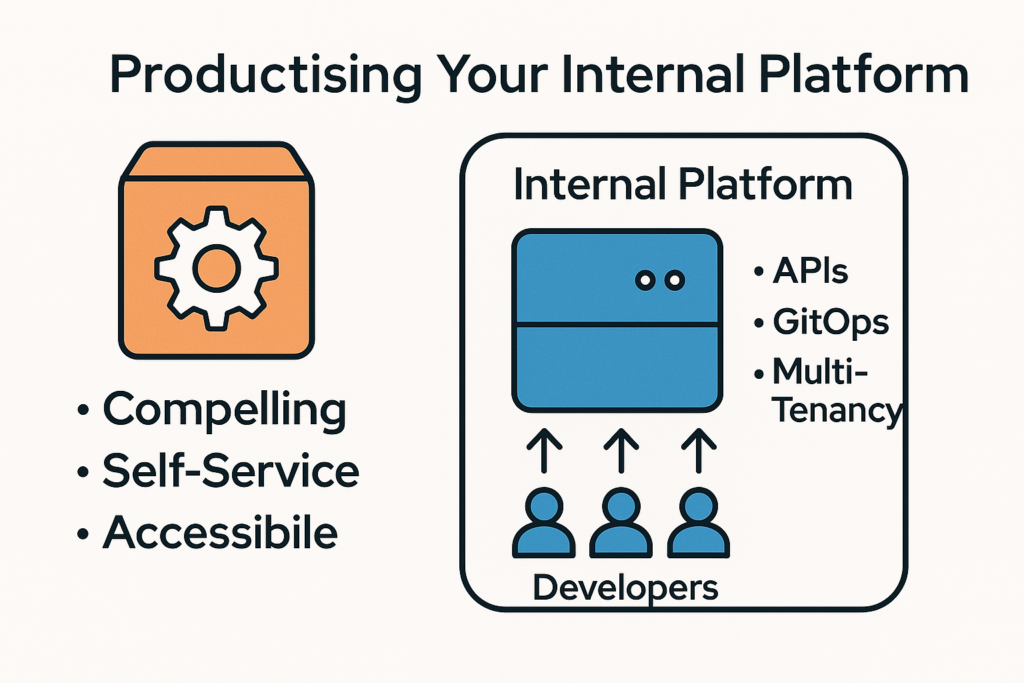
In today’s cloud-native world, building an internal platform isn’t enough. If your platform isn’t treated like a product with real users, feedback loops and continuous iteration, it will fail to gain adoption, cause friction and ultimately slow down delivery.

I’ve seen this firsthand. In 2020, I led the design and build of a multi-tenant Kubernetes platform long before “platform as a product” was a common concept. What started as a response to infrastructure bottlenecks became a mature self-service platform that is now used globally by dozens of engineering teams.

This blog isn’t just about what we built it’s about why thinking like a product team is the foundation of modern platform engineering success.

If you prefer to watch rather than read, here’s the recording of my talk from the OpenShift Commons Gathering in London, where I go into these ideas in more detail:

The Case for Product Thinking in Platform Engineering

Too often internal platforms are built with an infrastructure-first mindset: lots of YAML, few users and almost no UX. But modern engineering teams expect more:

  • APIs that just work

  • Documentation that’s up to date

  • Rapid self-service delivery

  • Immediate feedback

  • A clear path from idea to production

That’s why your platform needs to be compelling, self-service, and accessible just like a great product.

How Success Looks in Practice

In 2020, my team and I set out to solve serious pain points:

  • 4–8 month compute lead times

  • TicketOps and manual change gates

  • External dependencies and missing knowledge

  • No clear self-service paths

  • Frequent config drift, duplication and lack of consistency

We didn’t want to patch these problems and we wanted to reimagine how a platform should work.

The result was our internal Platform Product, a multi-tenant OpenShift-based Kubernetes platform built as a product, not just infrastructure.

Here’s what made it successful:

1. Self-Service and GitOps by Default

Developers create and manage their own workloads without opening tickets. Platform features are exposed via Kubernetes-native APIs and Custom Resources. All requests are declarative and go through GitOps with automated validation.

2. Multi-Tenancy with Guard Rails

Each team is onboarded via a simple pull request that provisions their namespace and registers ownership. All changes are subject to automated checks using validating webhooks, object schema linting and RBAC enforcement.

3. Focus on Developer Experience

We designed the platform to be the path of least resistance:

  • Free sandbox environments

  • Pre-filled onboarding templates

  • Built-in best practices

  • Documentation and a developer portal

  • Persistent support channels and short feedback loops

4. Observability and Policy Everywhere

The product is highly secure (PCI-DSS compliant), fully observable and tightly integrated with cloud infrastructure. Each feature includes sensible defaults and field-tested configuration to help users succeed without needing deep Kubernetes expertise.

The Benefits of Productising Your Platform

Treating your platform like a product brings clear, measurable advantages:

Platform as Infrastructure Platform as a Product
Ticket-driven operations Self-service automation
One-size-fits-all features Iterative roadmap based on user needs
Inconsistent experience Standardized onboarding & guardrails
Siloed knowledge Published docs & support channels
Siloed teams Transparent ownership & feedback

In our case, this mindset has helped:

  • Onboard tenants in minutes, not weeks

  • Cut incident volume due to misconfiguration

  • Empower teams to deploy faster and more safely

  • Scale the platform globally with a lean team

Final Thoughts: Platform Teams Need Product DNA

Success in platform engineering isn’t just about Kubernetes, pipelines or YAML. It’s about building something people want to use. That’s what product thinking brings to the table.

If you’re leading or contributing to an internal platform today, start thinking like a product team:

  • Understand your users deeply

  • Design for ease of use and autonomy

  • Invest in documentation, automation and support

  • Create feedback loops and iterate often

You’re not just shipping infrastructure, you’re building a product that enables every other product in your company. Treat it like one.
OpenShift Hive – Deploy Single Node (All-in-One) OKD Cluster on AWS

The concept of a single-node or All-in-One OpenShift / Kubernetes cluster isn’t something new, years ago when I was working with OpenShift 3 and before that with native Kubernetes, we were using single-node clusters as ephemeral development environment, integrations testing for pull-request or platform releases. It was only annoying because this required complex Jenkins pipelines, provision the node first, then install prerequisites and run the openshift-ansible installer playbook. Not always reliable and not a great experience but it done the job.

This is possible as well with the new OpenShift/OKD 4 version and with the help from OpenShift Hive. The experience is more reliable and quicker than previously and I don’t need to worry about de-provisioning, I will let Hive delete the cluster after a few hours automatically.

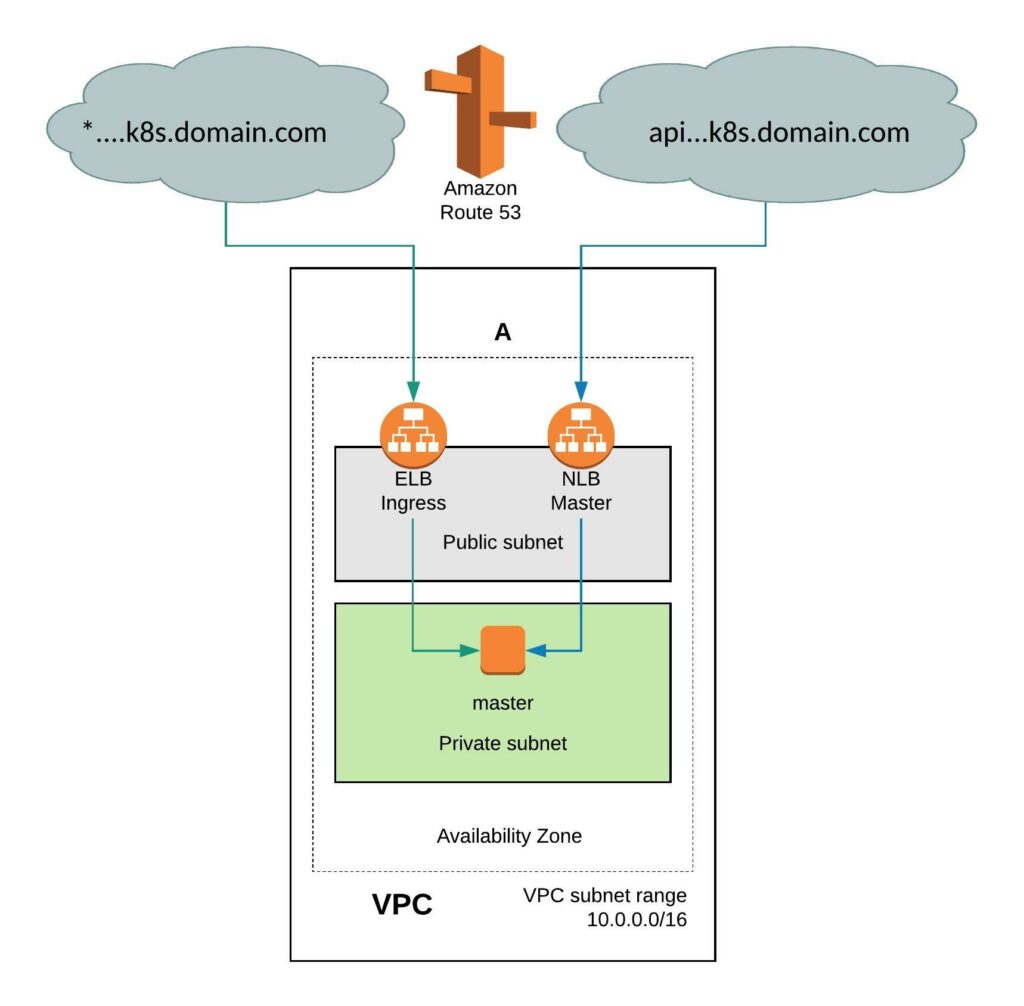
It requires a few simple modifications in the install-config. You need to add the Availability Zone you want where the instance will be created. When doing this the VPC will only have two subnets, one public and one private subnet in eu-west-1. You can also install the single-node cluster into an existing VPC you just have to specify subnet ids. Change the compute worker node replicas zero and control-plane replicas to one. Make sure to have an instance size with enough CPU and memory for all OpenShift components because they need to fit onto the single node. The rest of the install-config is pretty much standard.
---
apiVersion: v1
baseDomain: k8s.domain.com
compute:
- name: worker
  platform:
    aws:
      zones:
      - eu-west-1a
      rootVolume:
        iops: 100
        size: 22
        type: gp2
      type: r4.xlarge
  replicas: 0
controlPlane:
  name: master
  platform:
    aws:
      zones:
      - eu-west-1a
      rootVolume:
        iops: 100
        size: 22
        type: gp2
      type: r5.2xlarge
  replicas: 1
metadata:
  creationTimestamp: null
  name: okd-aio
networking:
  clusterNetwork:
  - cidr: 10.128.0.0/14
    hostPrefix: 23
  machineCIDR: 10.0.0.0/16
  networkType: OpenShiftSDN
  serviceNetwork:
  - 172.30.0.0/16
platform:
  aws:
    region: eu-west-1
pullSecret: ""
sshKey: ""

Create a new install-config secret for the cluster.

kubectl create secret generic install-config-aio -n okd --from-file=install-config.yaml=./install-config-aio.yaml

We will be using OpenShift Hive for the cluster deployment because the provision is more simplified and Hive can also apply any configuration using SyncSets or SelectorSyncSets which is needed. Add the annotation hive.openshift.io/delete-after: “2h” and Hive will automatically delete the cluster after 4 hours.

---
apiVersion: hive.openshift.io/v1
kind: ClusterDeployment
metadata:
  creationTimestamp: null
  annotations:
    hive.openshift.io/delete-after: "2h"
  name: okd-aio 
  namespace: okd
spec:
  baseDomain: k8s.domain.com
  clusterName: okd-aio
  controlPlaneConfig:
    servingCertificates: {}
  installed: false
  platform:
    aws:
      credentialsSecretRef:
        name: aws-creds
      region: eu-west-1
  provisioning:
    releaseImage: quay.io/openshift/okd:4.5.0-0.okd-2020-07-14-153706-ga
    installConfigSecretRef:
      name: install-config-aio
  pullSecretRef:
    name: pull-secret
  sshKey:
    name: ssh-key
status:
  clusterVersionStatus:
    availableUpdates: null
    desired:
      force: false
      image: ""
      version: ""
    observedGeneration: 0
    versionHash: ""

Apply the cluster deployment to your clusters namespace.

kubectl apply -f  ./clusterdeployment-aio.yaml

This is slightly faster than provision 6 nodes cluster and will take around 30mins until your ephemeral test cluster is ready to use.

Deploy OpenShift using Jenkins Pipeline and Terraform

I wanted to make my life a bit easier and created a simple Jenkins pipeline to spin-up the AWS instance and deploy OpenShift. Read my previous article: Deploying OpenShift 3.11 Container Platform on AWS using Terraform. You will see in between steps which require input to stop the pipeline, and that keep the OpenShift cluster running without destroying it directly after installing OpenShift. Also check out my blog post I wrote about running Jenkins in a container with Ansible and Terraform.

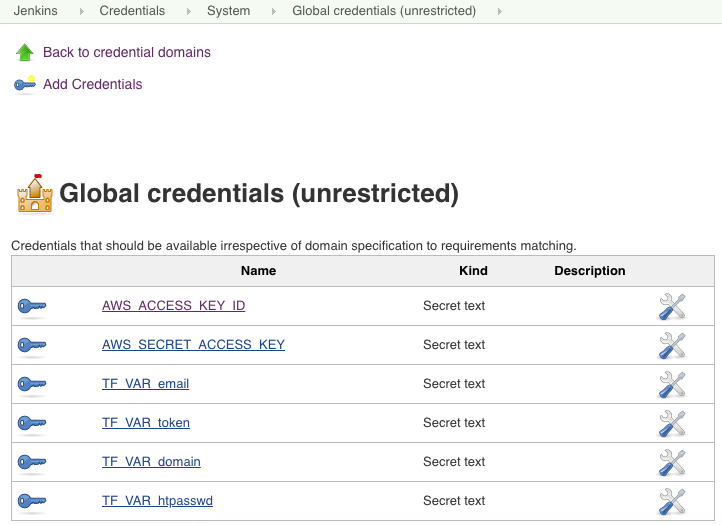
The Jenkins pipeline requires a few environment variables for the credentials to access AWS and CloudFlare. You need to create the necessary credentials beforehand and they get loaded when the pipeline starts.

Here are the pipeline steps which are self explanatory:

pipeline {
    agent any
    environment {
        AWS_ACCESS_KEY_ID = credentials('AWS_ACCESS_KEY_ID')
        AWS_SECRET_ACCESS_KEY = credentials('AWS_SECRET_ACCESS_KEY')
        TF_VAR_email = credentials('TF_VAR_email')
        TF_VAR_token = credentials('TF_VAR_token')
        TF_VAR_domain = credentials('TF_VAR_domain')
        TF_VAR_htpasswd = credentials('TF_VAR_htpasswd')
    }
    stages {
        stage('Prepare workspace') {
            steps {
                sh 'rm -rf *'
                git branch: 'aws-dev', url: 'https://github.com/berndonline/openshift-terraform.git'
                sh 'ssh-keygen -b 2048 -t rsa -f ./helper_scripts/id_rsa -q -N ""'
                sh 'chmod 600 ./helper_scripts/id_rsa'
                sh 'terraform init'
            }
        }
        stage('Run terraform apply') {
            steps {
                input 'Run terraform apply?'
            }
        }
        stage('terraform apply') {
            steps {
                sh 'terraform apply -auto-approve'
            }
        }
        stage('OpenShift Installation') {
            steps {
                sh 'sleep 600'
                sh 'scp -o StrictHostKeyChecking=no -o UserKnownHostsFile=/dev/null -i ./helper_scripts/id_rsa -r ./helper_scripts/id_rsa centos@$(terraform output bastion):/home/centos/.ssh/'
                sh 'scp -o StrictHostKeyChecking=no -o UserKnownHostsFile=/dev/null -i ./helper_scripts/id_rsa -r ./inventory/ansible-hosts  centos@$(terraform output bastion):/home/centos/ansible-hosts'
                sh 'ssh -o StrictHostKeyChecking=no -o UserKnownHostsFile=/dev/null -i ./helper_scripts/id_rsa -l centos $(terraform output bastion) -A "cd /openshift-ansible/ && ansible-playbook ./playbooks/openshift-pre.yml -i ~/ansible-hosts"'
                sh 'ssh -o StrictHostKeyChecking=no -o UserKnownHostsFile=/dev/null -i ./helper_scripts/id_rsa -l centos $(terraform output bastion) -A "cd /openshift-ansible/ && ansible-playbook ./playbooks/openshift-install.yml -i ~/ansible-hosts"'
            }
        }        
        stage('Run terraform destroy') {
            steps {
                input 'Run terraform destroy?'
            }
        }
        stage('terraform destroy') {
            steps {
                sh 'terraform destroy -force '
            }
        }
    }
}

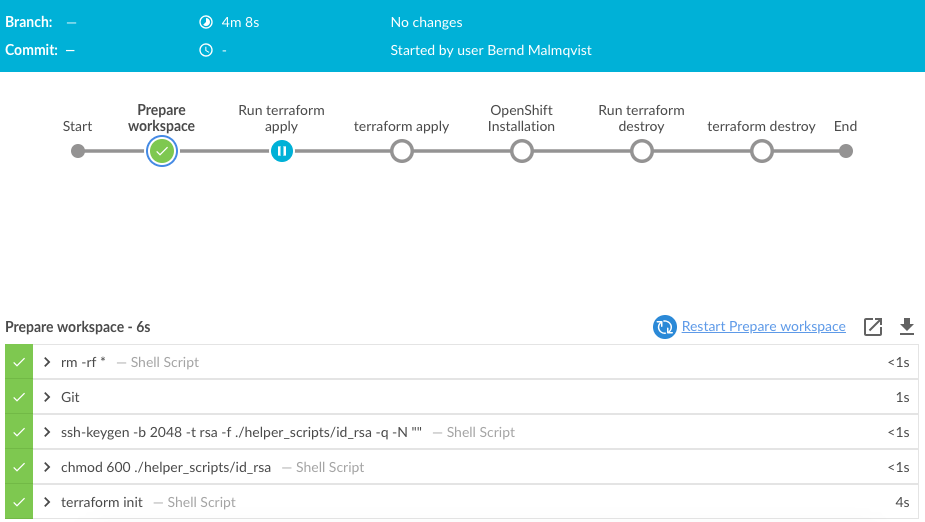
Let’s trigger the pipeline and look at the progress of the different steps.

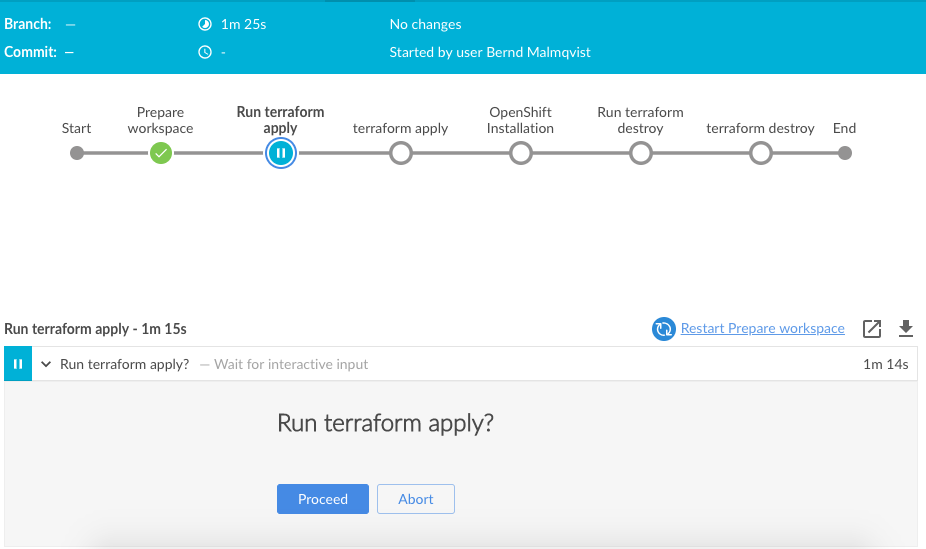
The first step preparing the workspace is very quick and the pipeline is waiting for an input to run terraform apply:

Just click on proceed to continue:

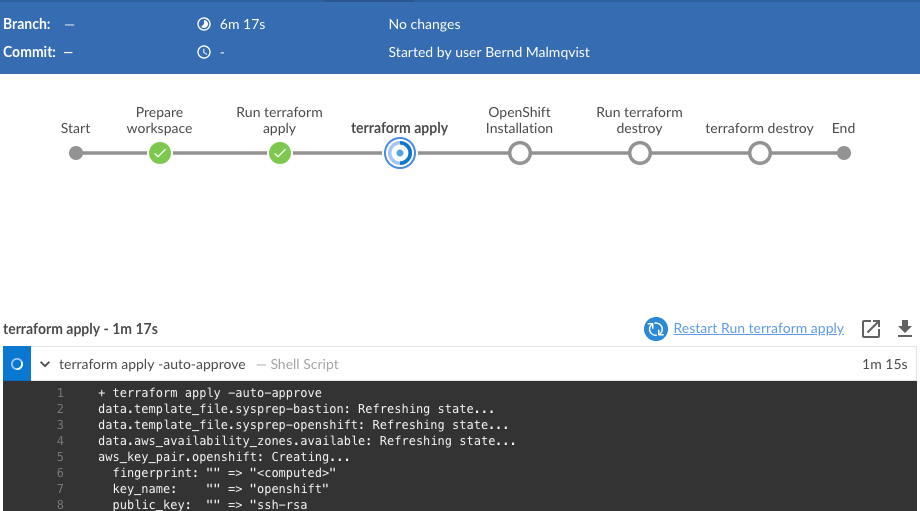
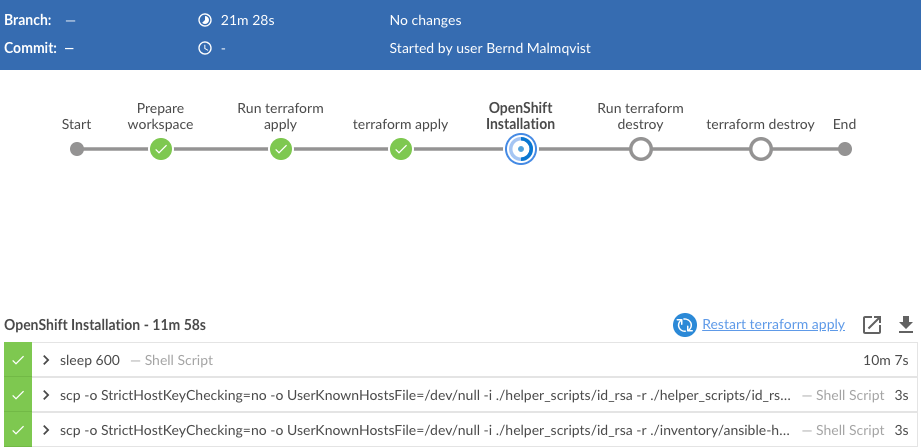
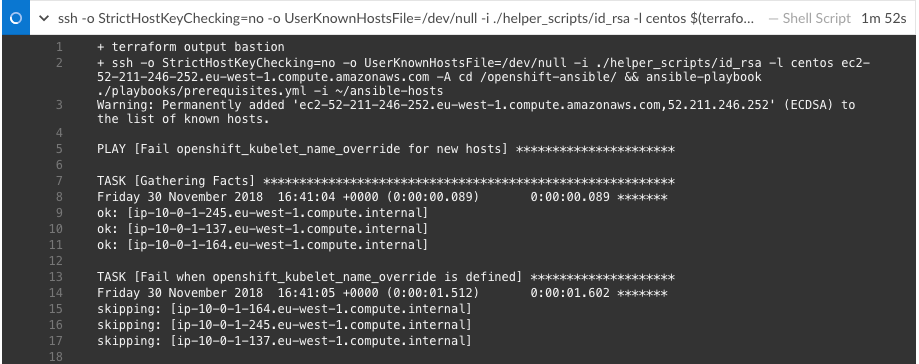
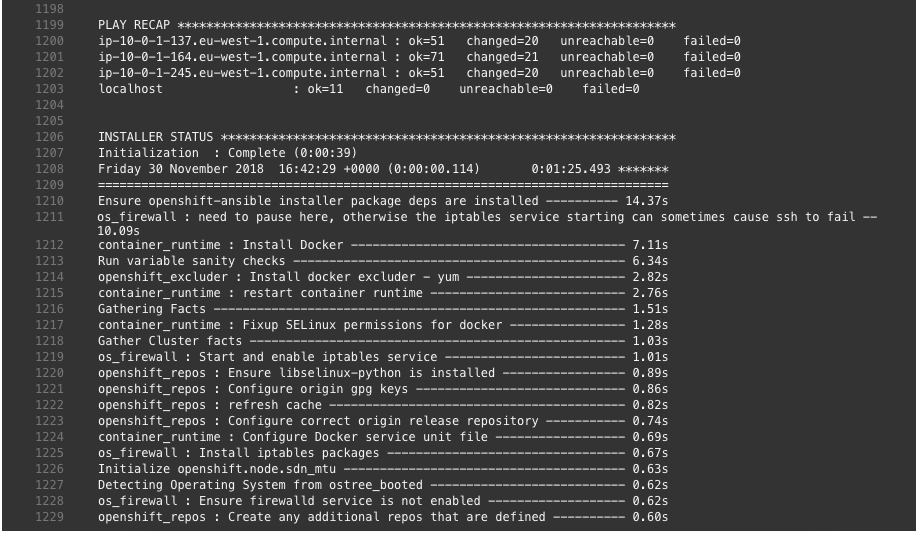
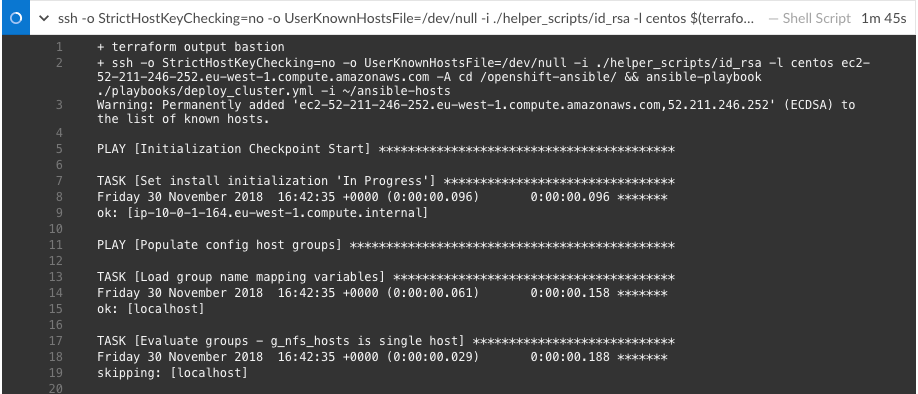
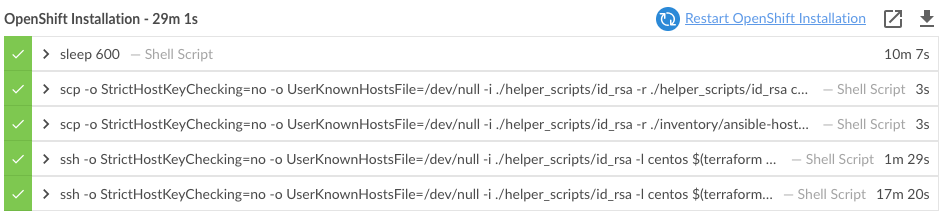
After the AWS and CloudFlare resources are created with Terraform, it continues with the next step installing OpenShift 3.11 on the AWS instances:

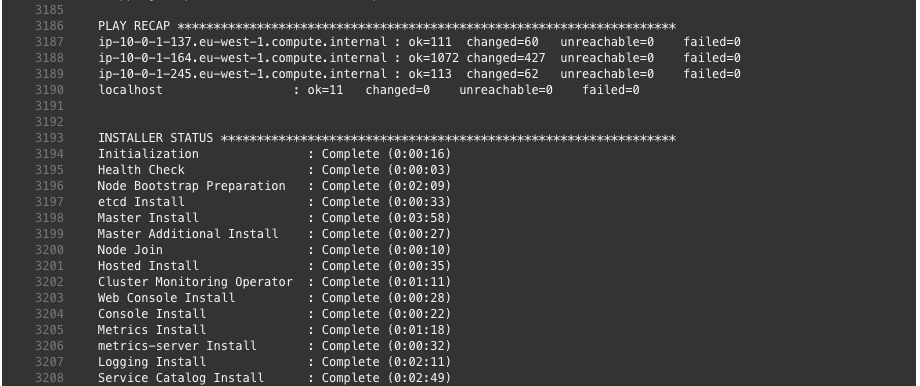
By this point the OpenShift installation is completed.

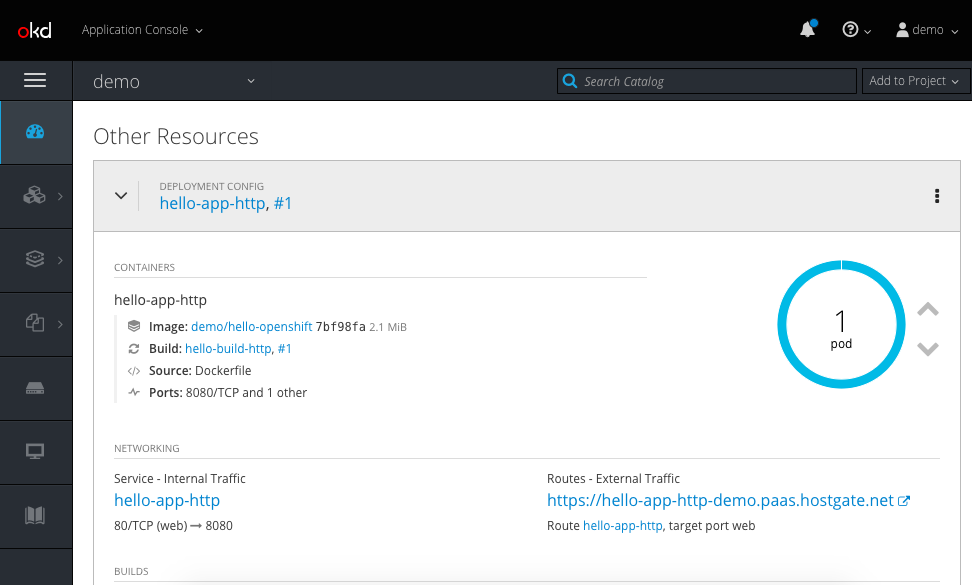
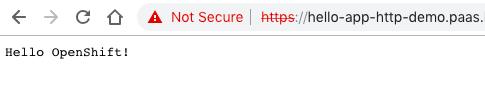
You can continue and login to the console-paas.. and continue doing your testing on OpenShift.

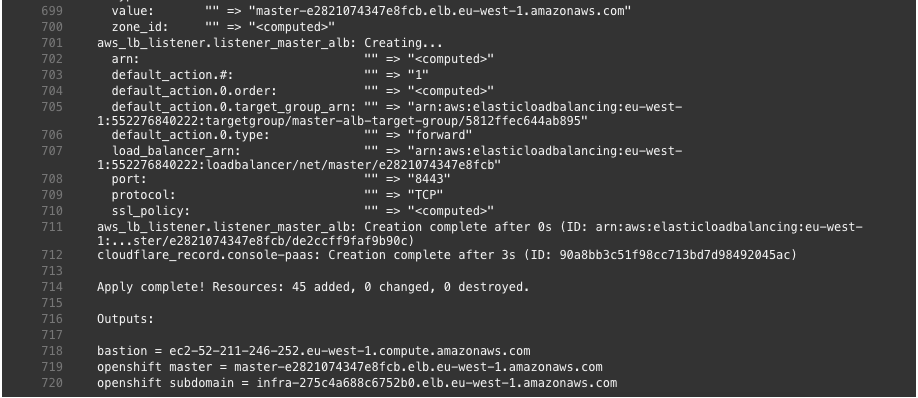
Terraform not only created all the AWS resources it also configured the necessary CNAME on CloudFlare DNS to point to the AWS load balancers.

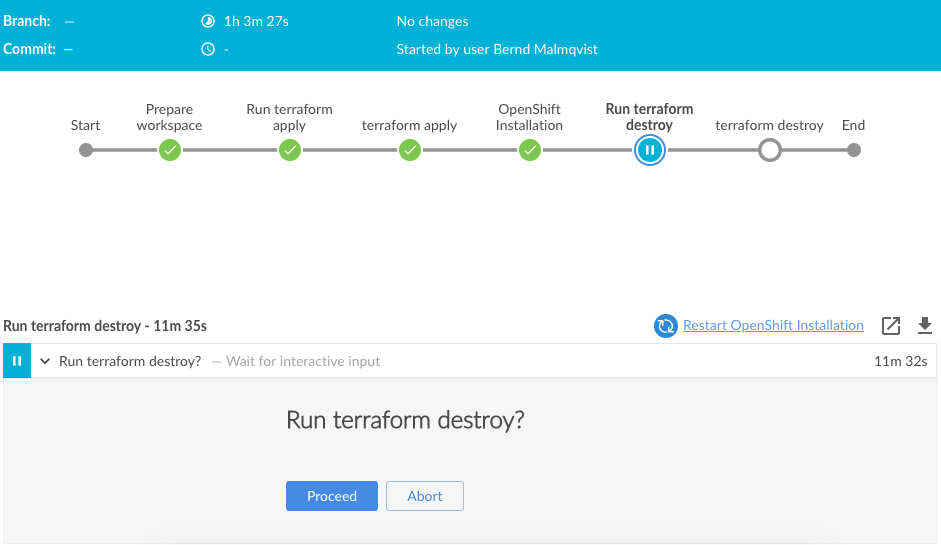
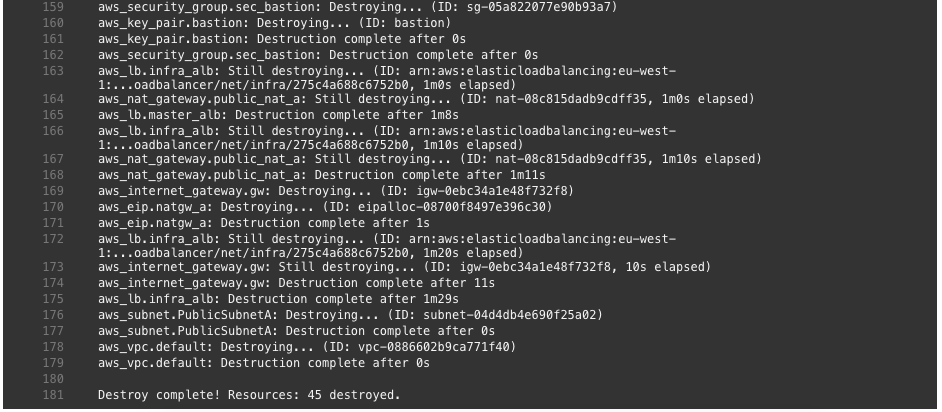
Once you are finished with your OpenShift testing you can go back into Jenkins pipeline and commit to destroy the environment again:

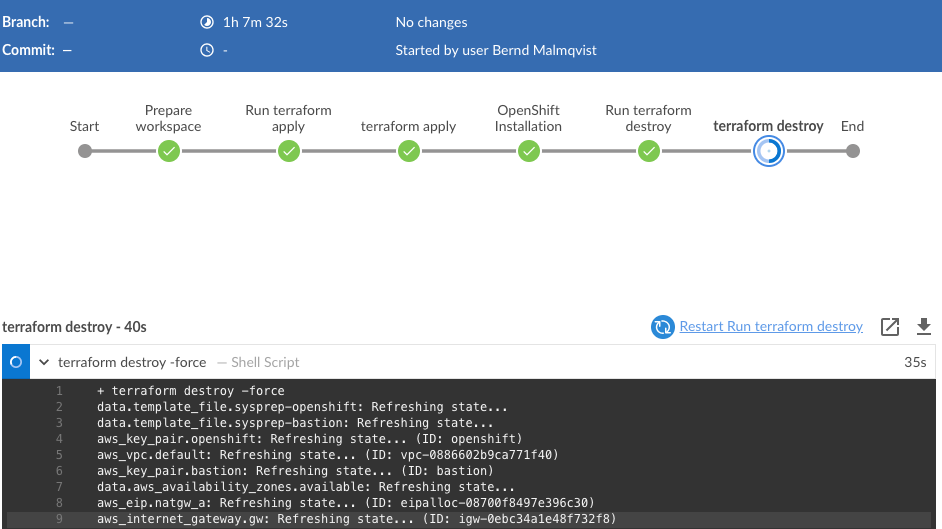
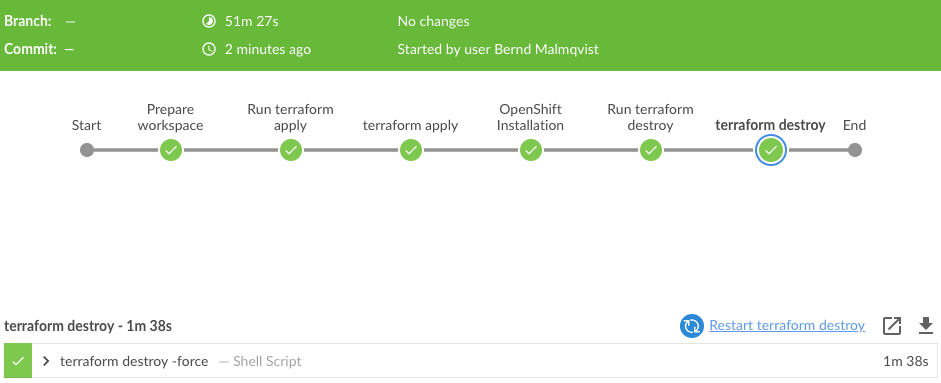
Running terraform destroy:

The pipeline completed successfully:

I hope this was in interesting post and let me know if you like it and want to see more of these. I am planning some improvements to integrate a validation step in the pipeline, to create a project and build, and deploy container on OpenShift automatically.

Please share your feedback and leave a comment.

Build Jenkins Container with Terraform and Ansible

I thought it might be interesting to show how to build a Docker container running Jenkins and tools like Terraform and Ansible. I am planning to use a Jenkins pipeline to deploy my OpenShift 3.11 example on AWS using Terraform and Ansible but more about this in the next post.

I am using the source Dockerfile from Jenkins and modified it, and added Ansible and Terraform: https://github.com/jenkinsci/docker. Below you see a few variables you might need to change depending on the version you are trying to use or where to place the volume mount. Have a look here for the latest Jenkins version: https://updates.jenkins-ci.org/download/war/.

Here is my Dockerfile:

...
ARG JENKINS_HOME=/var/jenkins_home
...
ENV TERRAFORM_VERSION=0.11.10
... 
ARG JENKINS_VERSION=2.151
ENV JENKINS_VERSION $JENKINS_VERSION
...
ARG JENKINS_SHA=a4335cc626c1f64da61a20174af654283d171b255a928bbacb6402a315e213d7
...

Let’s start and clone my Jenkins Docker repository  and run docker build:

git clone https://github.com/berndonline/docker-jenkins.git && cd ./docker-jenkins/
docker build -t berndonline/jenkins .

The docker build will take a few minutes, just wait and look out for error you might have with the build:

berndonline@lab:~/docker-jenkins$ docker build -t berndonline/jenkins .
Sending build context to Docker daemon  141.3kB
Step 1/51 : FROM openjdk:8-jdk
8-jdk: Pulling from library/openjdk
54f7e8ac135a: Pull complete
d6341e30912f: Pull complete
087a57faf949: Pull complete
5d71636fb824: Pull complete
9da6b28682cf: Pull complete
203f1094a1e2: Pull complete
ee38d9f85cf6: Pull complete
7f692fae02b6: Pull complete
eaa976dc543c: Pull complete
Digest: sha256:94bbc3357f995dd37986d8da0f079a9cd4b99969a3c729bad90f92782853dea7
Status: Downloaded newer image for openjdk:8-jdk
 ---> c14ba9d23b3a
Step 2/51 : USER root
 ---> Running in c78f75ca3d5a
Removing intermediate container c78f75ca3d5a
 ---> f2c6bb7538ea
Step 3/51 : RUN apt-get update && apt-get install -y git curl && rm -rf /var/lib/apt/lists/*
 ---> Running in 4cc857e12f50
Ign:1 http://deb.debian.org/debian stretch InRelease
Get:2 http://security.debian.org/debian-security stretch/updates InRelease [94.3 kB]
Get:3 http://deb.debian.org/debian stretch-updates InRelease [91.0 kB]
Get:4 http://deb.debian.org/debian stretch Release [118 kB]
Get:5 http://security.debian.org/debian-security stretch/updates/main amd64 Packages [459 kB]
Get:6 http://deb.debian.org/debian stretch Release.gpg [2434 B]
Get:7 http://deb.debian.org/debian stretch-updates/main amd64 Packages [5152 B]
Get:8 http://deb.debian.org/debian stretch/main amd64 Packages [7089 kB]
Fetched 7859 kB in 1s (5540 kB/s)
Reading package lists...
Building dependency tree...

...

Step 49/51 : ENTRYPOINT ["/sbin/tini", "--", "/usr/local/bin/jenkins.sh"]
 ---> Running in 28da7c4bf90a
Removing intermediate container 28da7c4bf90a
 ---> f380f1a6f06f
Step 50/51 : COPY plugins.sh /usr/local/bin/plugins.sh
 ---> 82871f0df0dc
Step 51/51 : COPY install-plugins.sh /usr/local/bin/install-plugins.sh
 ---> feea9853af70
Successfully built feea9853af70
Successfully tagged berndonline/jenkins:latest
berndonline@lab:~/jenkins-docker$

The Docker container is successfully build:

berndonline@lab:~/docker-jenkins$ docker images
REPOSITORY                  TAG                 IMAGE ID            CREATED             SIZE
berndonline/jenkins         latest              cd1742c317fa        6 days ago          1.28GB

Let’s start the Docker container:

docker run -d -v /var/jenkins_home:/var/jenkins_home -p 32771:8080 -p 32770:50000 berndonline/jenkins

Quick check that the container is successfully created:

berndonline@lab:~/docker-jenkins$ docker ps
CONTAINER ID        IMAGE                 COMMAND                  CREATED             STATUS              PORTS                                               NAMES
7073fa9c0cd4        berndonline/jenkins   "/sbin/tini -- /usr/…"   5 days ago          Up 7 seconds        0.0.0.0:32771->8080/tcp, 0.0.0.0:32770->50000/tcp   jenkins

Afterwards you can connect to http://<your-ip-address>:32771/ and do the initial Jenkins configuration, like changing admin password and install needed plugins. I recommend putting an Nginx reverse proxy with SSL infront to secure Jenkins properly.

So what about updates or changing the configuration? – Pretty easy; because we are using a Docker bind mount to /var/jenkins_home/, all the Jenkins related data is stored on the local file system of your server and you can re-create or re-build the container at anytime.

I hope you like this article about how to create your down Jenkins Docker container. In my next post I will create a very simple Jenkins pipeline to deploy OpenShift 3.11 on AWS using Terraform.

Please share your feedback and leave a comment.

Getting started with Jenkins for Network Automation

As I have mentioned my previous post about Getting started with Gitlab-CI for Network Automation, Jenkins is another continuous integration pipelining tool you can use for network automation. Have a look about how to install Jenkins: https://wiki.jenkins.io/display/JENKINS/Installing+Jenkins+on+Ubuntu

To use the Jenkins with Vagrant and KVM (libvirt) there are a few changes needed on the linux server similar with the Gitlab-Runner. The Jenkins user account needs to be able to control KVM and you need to install the vagrant-libvirt plugin:

usermod -aG libvirtd jenkins
sudo su jenkins
vagrant plugin install vagrant-libvirt

Optional: you may need to copy custom Vagrant boxes into the users vagrant folder ‘/var/lib/jenkins/.vagrant.d/boxes/*’. Note that the Jenkins home directory is not located under /home.

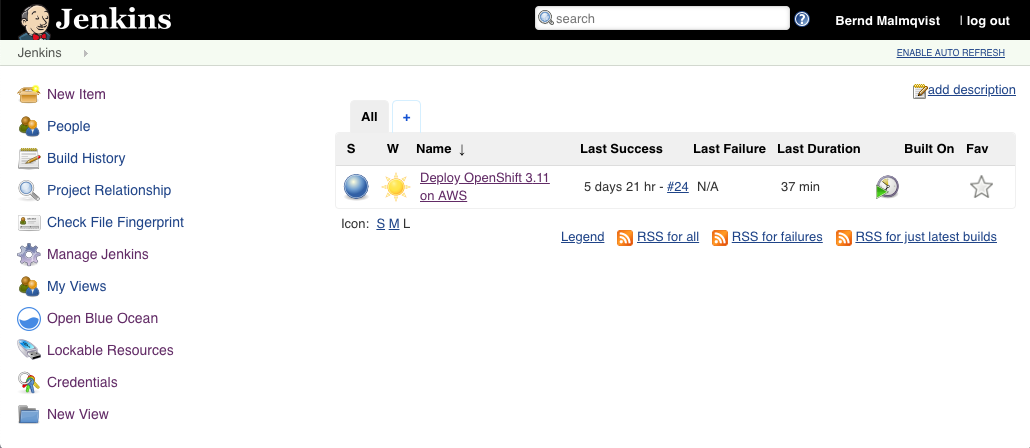
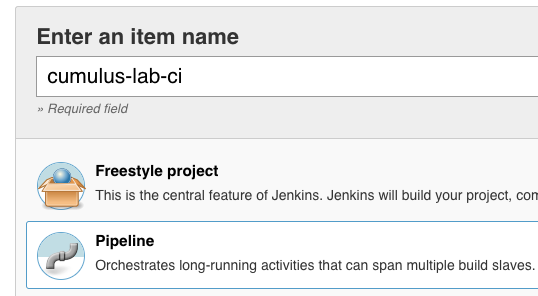
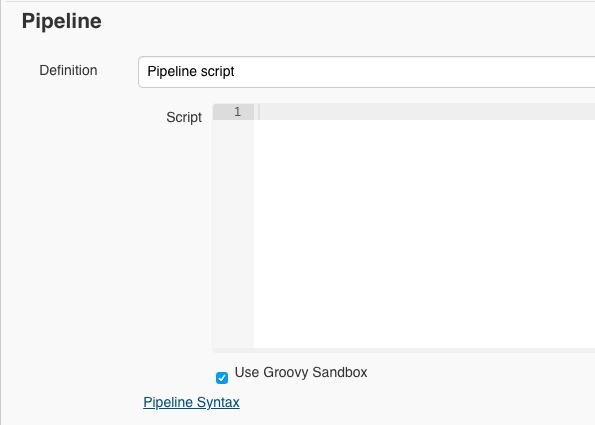
Now lets start configuring a Jenkins CI-pipeline, click on ‘New item’:

This creates an empty pipeline where you need to add the different stages  of what needs to be executed:

Below is an example Jenkins pipeline script which is very similar to the Gitlab-CI pipeline I have used with my Cumulus Linux Lab in the past.

pipeline {
    agent any
    stages {
        stage('Clean and prep workspace') {
            steps {
                sh 'rm -r *'
                git 'https://github.com/berndonline/cumulus-lab-provision'
                sh 'git clone --origin master https://github.com/berndonline/cumulus-lab-vagrant'
            }
        }
        stage('Validate Ansible') {
            steps {
                sh 'bash ./linter.sh'
            }
        }
        stage('Staging') {
            steps {
                sh 'cd ./cumulus-lab-vagrant/ && ./vagrant_create.sh'
                sh 'cd ./cumulus-lab-vagrant/ && bash ../staging.sh'
            }
        }
        stage('Deploy production approval') {
            steps {
                input 'Deploy to prod?'
            }
        }
        stage('Production') {
            steps {
                sh 'cd ./cumulus-lab-vagrant/ && ./vagrant_create.sh'
                sh 'cd ./cumulus-lab-vagrant/ && bash ../production.sh'
            }
        }
    }
}

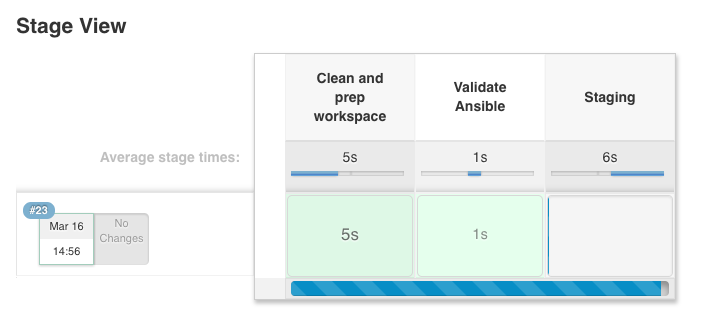
Let’s run the build pipeline:

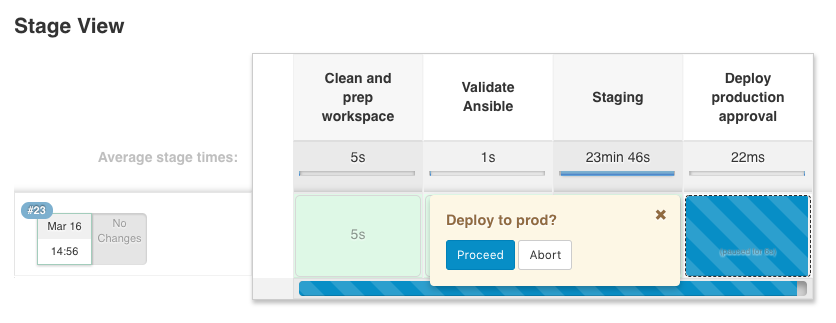
The stages get executed one by one and, as you can see below, the production stage has an manual approval build-in that nothing gets deployed to production without someone to approve before, for a controlled production deployment:

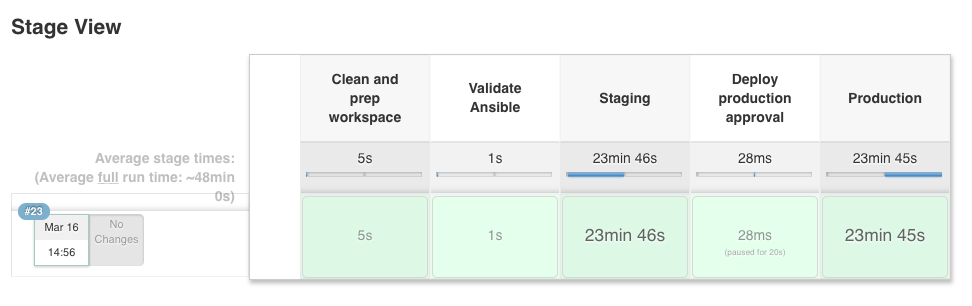
Finished pipeline:

This is just a simple example of a network automation pipeline, this can of course be more complex if needed. It should just help you a bit on how to start using Jenkins for network automation.

Please share your feedback and leave a comment.