From my recent posts, you can see that I use Ansible a lot for automating the device configuration deployment. Here my firewall lab (Cisco routers and Cisco ASA firewall) which I use to test different things in GNS3:
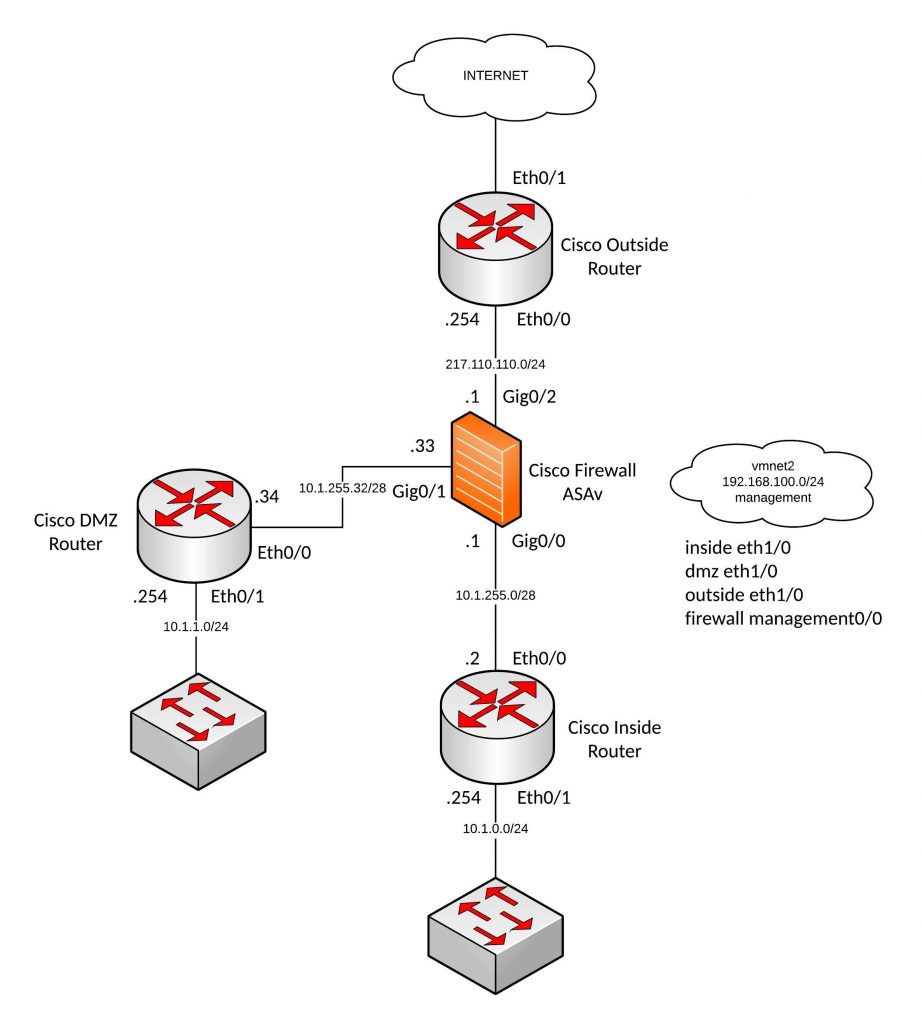
Before you can start deploying configs via Ansible you need to manually configure your management interfaces and device remote access. I run VMware Fusion Pro and use my VMNET2 network as management network because I have additional VMs for Ansible and Monitoring.
Here the config to prep your Cisco routers that you can afterwards deploy the rest of the config via Ansible:
conf t
ip vrf vrf-mgmt
	rd 1:1
	exit

interface Ethernet1/0
 description management
 ip vrf forwarding vrf-mgmt
 ip address 192.168.100.201 255.255.255.0
 no shutdown
 exit

ip domain-name localdomain

aaa new-model
aaa authentication login default local
aaa authorization exec default local

username ansible privilege 15 secret 5 $1$xAJX$D99QcH02Splr1L3ktrvh41

crypto key generate rsa general-keys modulus 2048

ip ssh version 2
ip ssh authentication-retries 5

line vty 0 4
 transport input ssh
 exit

exit
write mem
The same you need to do for your Cisco ASA firewall:
conf t
enable password 2KFQnbNIdI.2KYOU encrypted

interface Management0/0
 nameif management
 security-level 0
 ip address 192.168.100.204 255.255.255.0

aaa authentication ssh console LOCAL

ssh 0.0.0.0 0.0.0.0 management

username ansible password xsxRJKdxDzf9Ctr8 encrypted privilege 15
exit
write mem
Now you are ready to deploy the basic lab configuration to all the devices but before we start we need hosts and vars files and the main Ansible Playbook (yaml) file.
In the host’s file I define all the interface variables, there are different ways of doing it but this one is the easiest.
./hosts
[router]
inside
dmz
outside
[firewall]
firewall
In the group_vars file is the global variables.
./group_vars/all.yml
---
username: "ansible"
password: "cisco"
secret: "cisco"
default_gw_inside: "10.1.255.1"
default_gw_dmz: "10.1.255.33"
default_gw_firewall: "217.110.110.254"
Here the Ansible Playbook with the basic device configuration:
./interfaces.yml
- name: Deploy Cisco lab configuration part 1
  connection: local
  hosts: router
  gather_facts: false
  vars:
    cli:
      username: "{{ username }}"
      password: "{{ password }}"
      host: "{{ device_ip }}"
  tasks:
    - name: deploy inside router configuration
      when: ansible_host not in "outside"
      ios_config:
        provider: "{{ cli }}"
        before:
          - "default interface {{ item.interface }}"
        lines:
          - "ip address {{ item.address }}"
        after:
          - no shutdown
        parents: "interface {{ item.interface }}"
        match: strict
      with_items:
        - { interface : Ethernet0/0, address : "{{ eth_00_ip }} {{ eth_00_mask }}" }
        - { interface : Ethernet0/1, address : "{{ eth_01_ip }} {{ eth_01_mask }}" }
    - name: deploy outside router configuration
      when: ansible_host not in "inside,dmz"
      ios_config:
        provider: "{{ cli }}"
        before:
          - "default interface {{ item.interface }}"
        lines:
          - "ip address {{ item.address }}"
        after:
          - no shutdown
        parents: "interface {{ item.interface }}"
        match: strict
      with_items:
        - { interface : Ethernet0/0, address : "{{ eth_00_ip }} {{ eth_00_mask }}" }
        - { interface : Ethernet0/1, address : "{{ eth_01_ip }}" }

- name: Deploy Cisco lab configuration part 2
  connection: local
  hosts: firewall
  gather_facts: false
  vars:
      cli:
       username: "{{ username }}"
       password: "{{ password }}"
       auth_pass: "{{ secret }}"
       authorize: yes
       host: "{{ device_ip }}"
  tasks:
    - name: deploy firewall configuration
      when: ansible_host not in "inside,dmz,outside"
      asa_config:
        provider: "{{ cli }}"
        lines:
          - "nameif {{ item.nameif }}"
          - "ip address {{ item.address }}"
        after:
          - no shutdown
        parents: "interface {{ item.interface }}"
        match: line
      with_items:
        - { interface : GigabitEthernet0/0, nameif : "{{ eth_00_nameif }}", address : "{{ eth_00_ip }} {{ eth_00_mask }}" }
        - { interface : GigabitEthernet0/1, nameif : "{{ eth_01_nameif }}", address : "{{ eth_01_ip }} {{ eth_01_mask }}" }
        - { interface : GigabitEthernet0/2, nameif : "{{ eth_02_nameif }}", address : "{{ eth_02_ip }} {{ eth_02_mask }}" }
In the playbook, I needed to separate the outside router because one interface is configured to dhcp otherwise I could have used only one task for all three routers.
The 2nd part is for the Cisco ASA firewall configuration because it uses a different Ansible module and variables.
Now let us deploy the config and see the output from Ansible:
[berndonline@ansible firewall]$ ansible-playbook interfaces.yml -i hosts

PLAY [Deploy firewall lab configuration part 1] ********************************

TASK [deploy inside router configuration] **************************************
skipping: [outside] => (item={u'interface': u'Ethernet0/1', u'address': u'dhcp '})
skipping: [outside] => (item={u'interface': u'Ethernet0/0', u'address': u'217.110.110.254 255.255.255.0'})
changed: [dmz] => (item={u'interface': u'Ethernet0/0', u'address': u'10.1.255.34 255.255.255.240'})
changed: [inside] => (item={u'interface': u'Ethernet0/0', u'address': u'10.1.255.2 255.255.255.240'})
changed: [dmz] => (item={u'interface': u'Ethernet0/1', u'address': u'10.1.1.254 255.255.255.0'})
changed: [inside] => (item={u'interface': u'Ethernet0/1', u'address': u'10.1.0.254 255.255.255.0'})

TASK [deploy outside router configuration] *************************************
skipping: [inside] => (item={u'interface': u'Ethernet0/1', u'address': u'10.1.0.254'})
skipping: [inside] => (item={u'interface': u'Ethernet0/0', u'address': u'10.1.255.2 255.255.255.240'})
skipping: [dmz] => (item={u'interface': u'Ethernet0/1', u'address': u'10.1.1.254'})
skipping: [dmz] => (item={u'interface': u'Ethernet0/0', u'address': u'10.1.255.34 255.255.255.240'})
changed: [outside] => (item={u'interface': u'Ethernet0/0', u'address': u'217.110.110.254 255.255.255.0'})
changed: [outside] => (item={u'interface': u'Ethernet0/1', u'address': u'dhcp'})

PLAY [Deploy firewall lab configuration part 2] ********************************

TASK [deploy firewall configuration] *******************************************
changed: [firewall] => (item={u'interface': u'GigabitEthernet0/0', u'nameif': u'inside', u'address': u'10.1.255.1 255.255.255.240'})
changed: [firewall] => (item={u'interface': u'GigabitEthernet0/1', u'nameif': u'dmz', u'address': u'10.1.255.33 255.255.255.240'})
changed: [firewall] => (item={u'interface': u'GigabitEthernet0/2', u'nameif': u'outside', u'address': u'217.110.110.1 255.255.255.0'})

PLAY RECAP *********************************************************************
dmz                        : ok=1    changed=1    unreachable=0    failed=0
firewall                   : ok=1    changed=1    unreachable=0    failed=0
inside                     : ok=1    changed=1    unreachable=0    failed=0
outside                    : ok=1    changed=1    unreachable=0    failed=0

[berndonline@ansible firewall]$
Quick check if Ansible deployed the interface configuration:
inside#sh ip int brief
Interface                  IP-Address      OK? Method Status                Protocol
Ethernet0/0                10.1.255.2      YES manual up                    up
Ethernet0/1                10.1.0.254      YES manual up                    up
Ethernet1/0                192.168.100.201 YES NVRAM  up                    up
inside#

dmz#sh ip int brief
Interface                  IP-Address      OK? Method Status                Protocol
Ethernet0/0                10.1.255.34     YES manual up                    up
Ethernet0/1                10.1.1.254      YES manual up                    up
Ethernet1/0                192.168.100.202 YES NVRAM  up                    up
dmz#

outside#sh ip int brief
Interface                  IP-Address      OK? Method Status                Protocol
Ethernet0/0                217.110.110.254 YES manual up                    up
Ethernet0/1                172.16.191.23   YES DHCP   up                    up
Ethernet1/0                192.168.100.203 YES NVRAM  up                    up
outside#

firewall# sho ip address
Current IP Addresses:
Interface                Name                   IP address      Subnet mask     Method
GigabitEthernet0/0       inside                 10.1.255.1      255.255.255.240 manual
GigabitEthernet0/1       dmz                    10.1.255.33     255.255.255.240 manual
GigabitEthernet0/2       outside                217.110.110.1   255.255.255.0   manual
Management0/0            management             192.168.100.204 255.255.255.0   CONFIG
firewall#
As you can see Ansible deployed the interface configuration correctly. If I run Ansible again nothing will be deployed because the configuration is already present:
[berndonline@ansible firewall]$ ansible-playbook interfaces.yml -i hosts

PLAY [Deploy firewall lab configuration part 1] ********************************

TASK [deploy inside router configuration] **************************************
skipping: [outside] => (item={u'interface': u'Ethernet0/1', u'address': u'dhcp '})
skipping: [outside] => (item={u'interface': u'Ethernet0/0', u'address': u'217.110.110.254 255.255.255.0'})
ok: [dmz] => (item={u'interface': u'Ethernet0/0', u'address': u'10.1.255.34 255.255.255.240'})
ok: [dmz] => (item={u'interface': u'Ethernet0/1', u'address': u'10.1.1.254 255.255.255.0'})
ok: [inside] => (item={u'interface': u'Ethernet0/0', u'address': u'10.1.255.2 255.255.255.240'})
ok: [inside] => (item={u'interface': u'Ethernet0/1', u'address': u'10.1.0.254 255.255.255.0'})

TASK [deploy outside router configuration] *************************************
skipping: [inside] => (item={u'interface': u'Ethernet0/1', u'address': u'10.1.0.254'})
skipping: [inside] => (item={u'interface': u'Ethernet0/0', u'address': u'10.1.255.2 255.255.255.240'})
skipping: [dmz] => (item={u'interface': u'Ethernet0/1', u'address': u'10.1.1.254'})
skipping: [dmz] => (item={u'interface': u'Ethernet0/0', u'address': u'10.1.255.34 255.255.255.240'})
ok: [outside] => (item={u'interface': u'Ethernet0/0', u'address': u'217.110.110.254 255.255.255.0'})
ok: [outside] => (item={u'interface': u'Ethernet0/1', u'address': u'dhcp'})

PLAY [Deploy firewall lab configuration part 2] ********************************

TASK [deploy firewall configuration] *******************************************
ok: [firewall] => (item={u'interface': u'GigabitEthernet0/0', u'nameif': u'inside', u'address': u'10.1.255.1 255.255.255.240'})
ok: [firewall] => (item={u'interface': u'GigabitEthernet0/1', u'nameif': u'dmz', u'address': u'10.1.255.33 255.255.255.240'})
ok: [firewall] => (item={u'interface': u'GigabitEthernet0/2', u'nameif': u'outside', u'address': u'217.110.110.1 255.255.255.0'})

PLAY RECAP *********************************************************************
dmz                        : ok=1    changed=0    unreachable=0    failed=0
firewall                   : ok=1    changed=0    unreachable=0    failed=0
inside                     : ok=1    changed=0    unreachable=0    failed=0
outside                    : ok=1    changed=0    unreachable=0    failed=0

[berndonline@ansible firewall]$
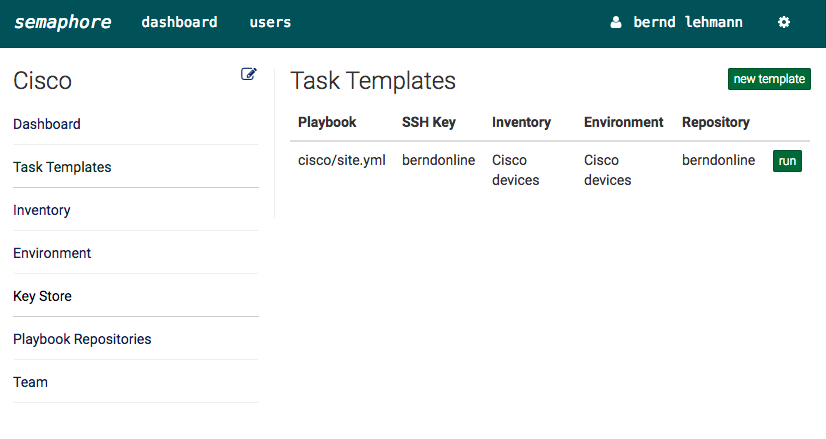
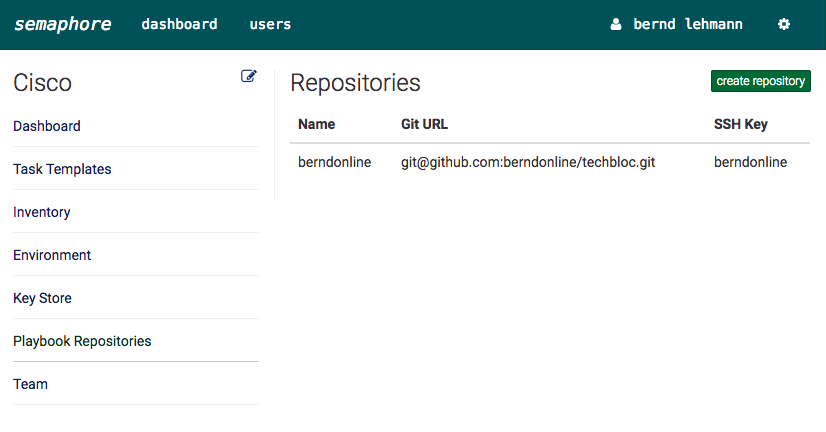
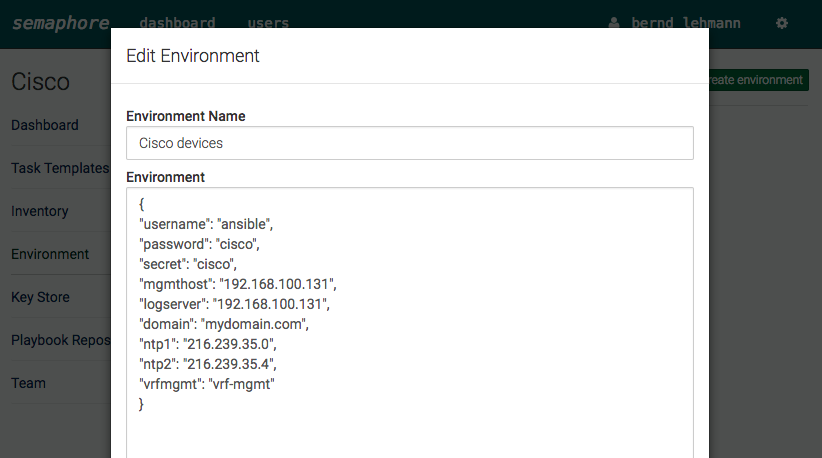
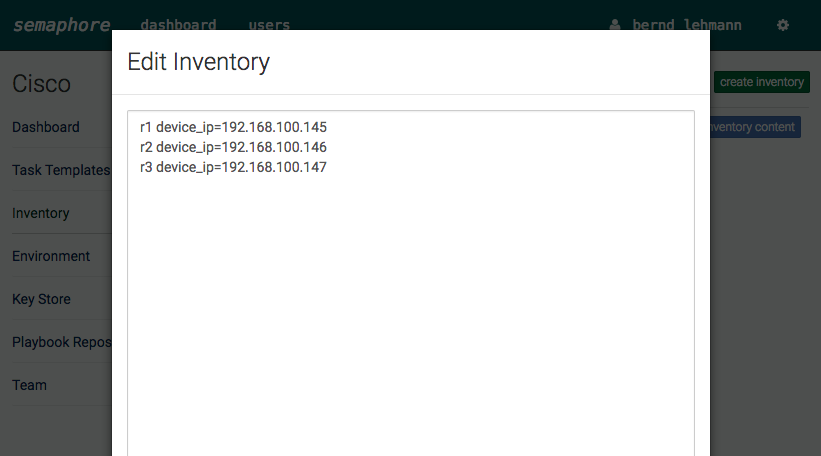
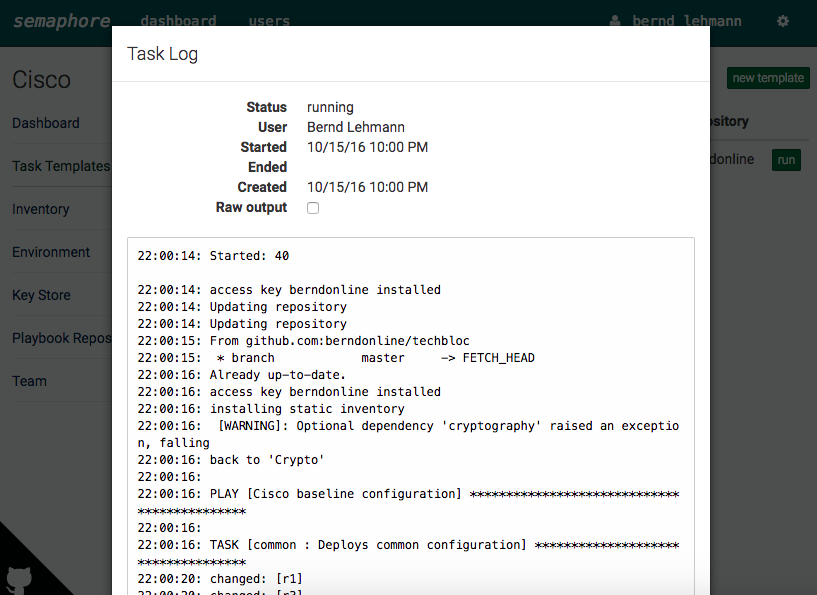
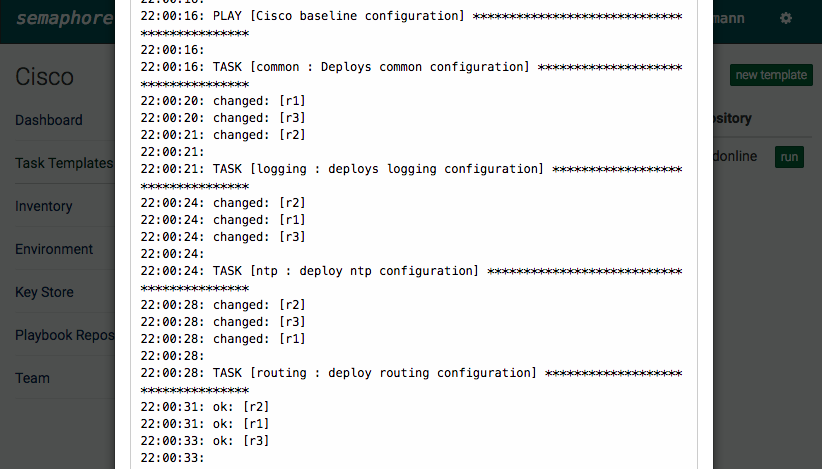
In my GNS3 labs, I normally not save the device configuration except the management IPs because with Ansible I can deploy everything again within seconds and use different Playbooks depending what I want to test. It gets even cooler if you use Semaphore (see my blog post: Ansible Semaphore) because you just click ones on the Playbook you want to deploy.
Comment below if you have questions or problems.
Read my new posts about Ansible Playbook for Cisco ASAv Firewall Topology or Ansible Playbook for Cisco BGP Routing Topology.