After creating my Jenkins container I thought it would be fun to run Ansible Tower in a container so I created a simple Dockerfile. First you need find out the latest Ansible Tower version: https://releases.ansible.com/ansible-tower/setup/ and update the version variable in the Dockerfile.
Here is my Dockerfile:
...
ARG ANSIBLE_TOWER_VER=3.3.1-1
...
The passwords can be changed in the inventory file:
...
[all:vars]
admin_password='<-your-password->'
...
pg_password='<-your-password->'
...
rabbitmq_password='<-your-password->'
...
Let’s start by building the container:
git clone https://github.com/berndonline/ansible-tower-docker.git && cd ansible-tower-docker/
docker build -t berndonline/ansible-tower .
The docker build will take a few minutes, just wait and look out for errors you might have in the build:
berndonline@lab:~$ git clone https://github.com/berndonline/ansible-tower-docker.git
Cloning into 'ansible-tower-docker'...
remote: Enumerating objects: 17, done.
remote: Counting objects: 100% (17/17), done.
remote: Compressing objects: 100% (11/11), done.
remote: Total 17 (delta 4), reused 14 (delta 4), pack-reused 0
Unpacking objects: 100% (17/17), done.
berndonline@lab:~$ cd ansible-tower-docker/
berndonline@lab:~/ansible-tower-docker$ docker build -t berndonline/ansible-tower .
Sending build context to Docker daemon  87.04kB
Step 1/31 : FROM ubuntu:16.04
16.04: Pulling from library/ubuntu
7b8b6451c85f: Pull complete
ab4d1096d9ba: Pull complete
e6797d1788ac: Pull complete
e25c5c290bde: Pull complete
Digest: sha256:e547ecaba7d078800c358082088e6cc710c3affd1b975601792ec701c80cdd39
Status: Downloaded newer image for ubuntu:16.04
 ---> a51debf7e1eb
Step 2/31 : USER root
 ---> Running in cf5d606130cc
Removing intermediate container cf5d606130cc
 ---> d5b11ed84885
Step 3/31 : WORKDIR /opt
 ---> Running in 1e6703cec6db
Removing intermediate container 1e6703cec6db
 ---> 045cf04ebc1d
Step 4/31 : ARG ANSIBLE_TOWER_VER=3.3.1-1
 ---> Running in 6d65bfe370d4
Removing intermediate container 6d65bfe370d4
 ---> d75c246c3a5c
Step 5/31 : ARG PG_DATA=/var/lib/postgresql/9.6/main
 ---> Running in e8856051aa92
Removing intermediate container e8856051aa92
 ---> 02e6d7593df8

...

PLAY [Install Tower isolated node(s)] ******************************************
skipping: no hosts matched

PLAY RECAP *********************************************************************
localhost                  : ok=125  changed=64   unreachable=0    failed=0

The setup process completed successfully.
Setup log saved to /var/log/tower/setup-2018-11-21-20:21:37.log
Removing intermediate container ad6401292444
 ---> 8f1eb28f16cb
Step 27/31 : ADD entrypoint.sh /entrypoint.sh
 ---> 8503e666ce9c
Step 28/31 : RUN chmod +x /entrypoint.sh
 ---> Running in 8b5ca24a320a
Removing intermediate container 8b5ca24a320a
 ---> 60810dc2a4e3
Step 29/31 : VOLUME ["${PG_DATA}", "${AWX_PROJECTS}","/certs"]
 ---> Running in d836e5455bd5
Removing intermediate container d836e5455bd5
 ---> 3968430a1814
Step 30/31 : EXPOSE 80
 ---> Running in 9a72815e365b
Removing intermediate container 9a72815e365b
 ---> 3613ced2a80c
Step 31/31 : ENTRYPOINT ["/entrypoint.sh", "ansible-tower"]
 ---> Running in 4611a90aff1a
Removing intermediate container 4611a90aff1a
 ---> ce89ea0753d4
Successfully built ce89ea0753d4
Successfully tagged berndonline/ansible-tower:latest
Continue to create a Docker Volume container to store the Postgres database:
sudo docker create -v /var/lib/postgresql/9.6/main --name tower-data berndonline/ansible-tower /bin/true
Start the Ansible Tower Docker container:
sudo docker run -d -p 32456:80 --volumes-from tower-data --name ansible-tower --privileged --restart berndonline/ansible-tower
Afterwards you can connect to http://<your-ip-address>:32456/ and import your Tower license. Ansible provides a free 10 node license which you can request here: https://www.ansible.com/license.
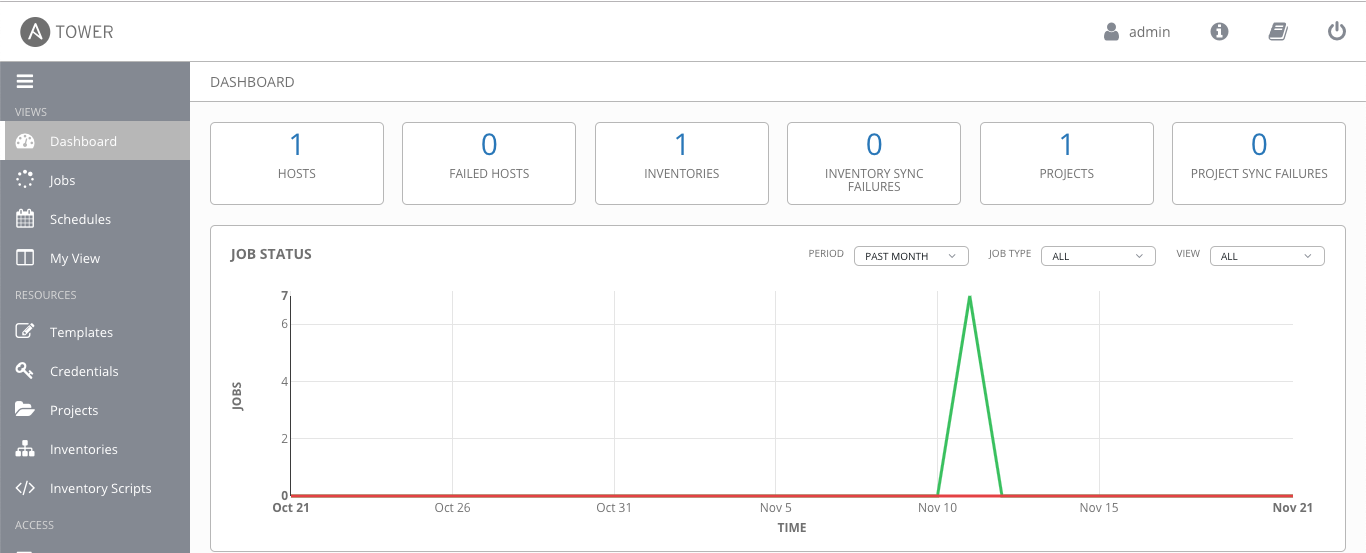
The Ansible Tower playbook installs an Nginx reverse proxy and you can enable SSL by setting the variable nginx_disable_https to false in the inventory file, and publish the container via 443 instead of 80.
Please share your feedback and leave a comment.